Clinical Decision Support Tools and Examples: A Builder's Guide
What clinical decision support tools exist, how they work in Epic, Oracle Health and OpenEMR, why alert fatigue happens, and how to build CDS with CDS Hooks, FHIR and CQL.
July 31, 2026
Apple Health is mostly known for counting steps and tracking sleep. But buried in the same app is a feature that does something far more interesting: it can pull your actual medical records straight from your hospital. Medications, lab results, diagnoses, all of it, sitting on your phone.
Which raises an obvious question. Hospitals are famously bad at sharing data with anyone, including other hospitals. How does an iPhone get access?
The same architecture is what a lot of healthcare products on the market use today to get real patient data out of EHRs. They are built on a stack of open standards and a piece of regulation, and that stack is available to anyone, including you if you’re building a healthcare app.
To appreciate what Apple pulled off here, you need to know how stuck things were before. For most of healthcare’s history, your medical records lived wherever they were created. Lab data sat in one system. Prescriptions sat in another. Each was locked into whichever EHR system that particular provider or hospital happened to buy, and it stayed there.
Patients felt this the most. Switch hospitals and your history basically starts from zero. But the damage went well beyond patients. Doctors coordinating care across facilities had to work around it. Researchers who wanted to study this data, or anyone trying to run analytics on top of it, hit the same walls.
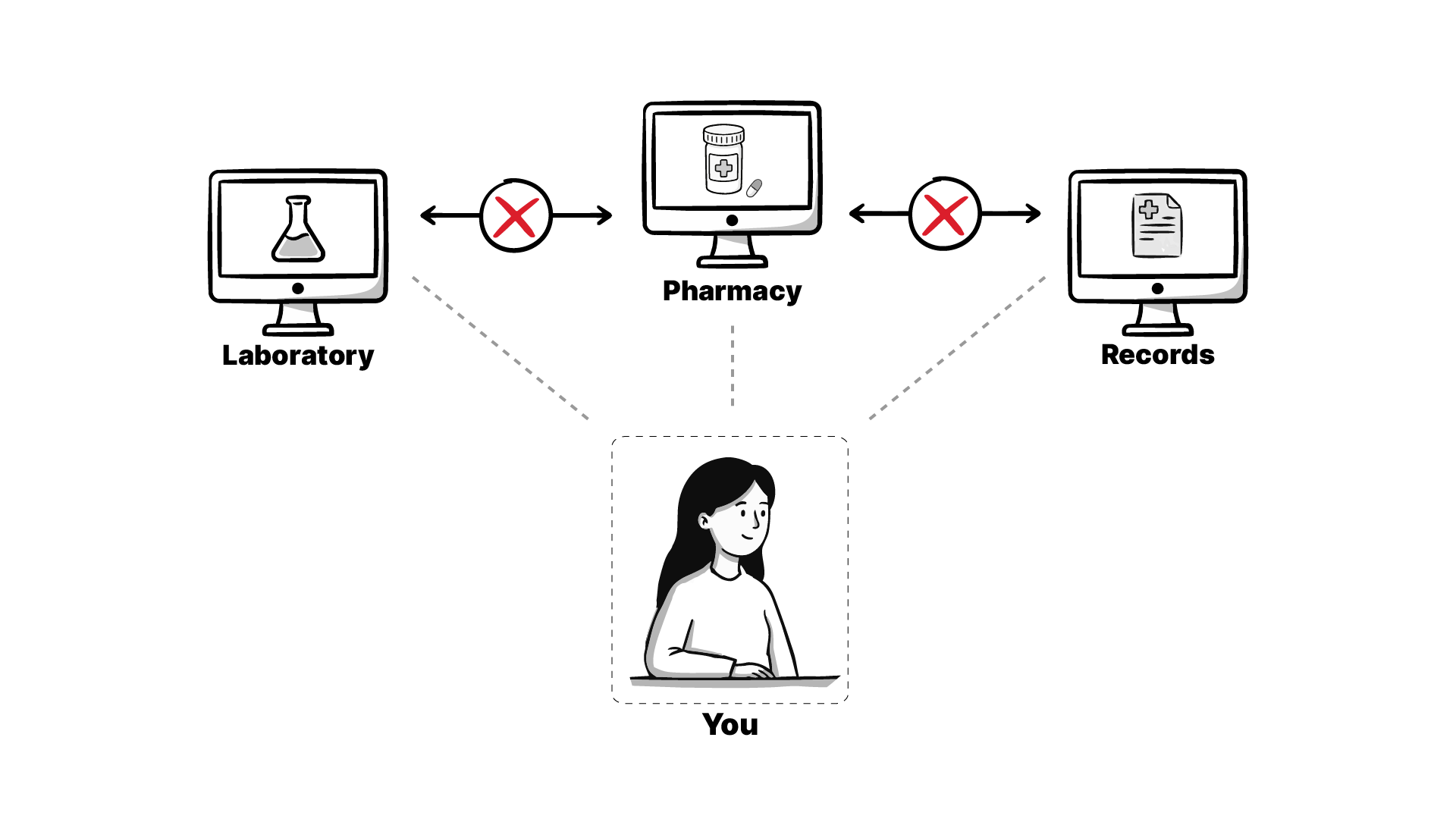
And the data existed, all your information in a database somewhere. There was just no easy way to ask for them, and no obligation for anyone to answer.
It came down to three things: a standard for the data itself, a security layer on top of it, and a regulation that forced everyone to actually implement both. Take any one away and Apple Health’s records feature doesn’t exist.
The standard is FHIR, short for Fast Healthcare Interoperability Resources. Think of it as the shared language for healthcare data. FHIR breaks your medical record down into small, representable units called ‘resources’. A patient becomes a Patient resource. A lab value becomes an Observation resource. Anything in a hospital you can point at probably has a resource defined for it.
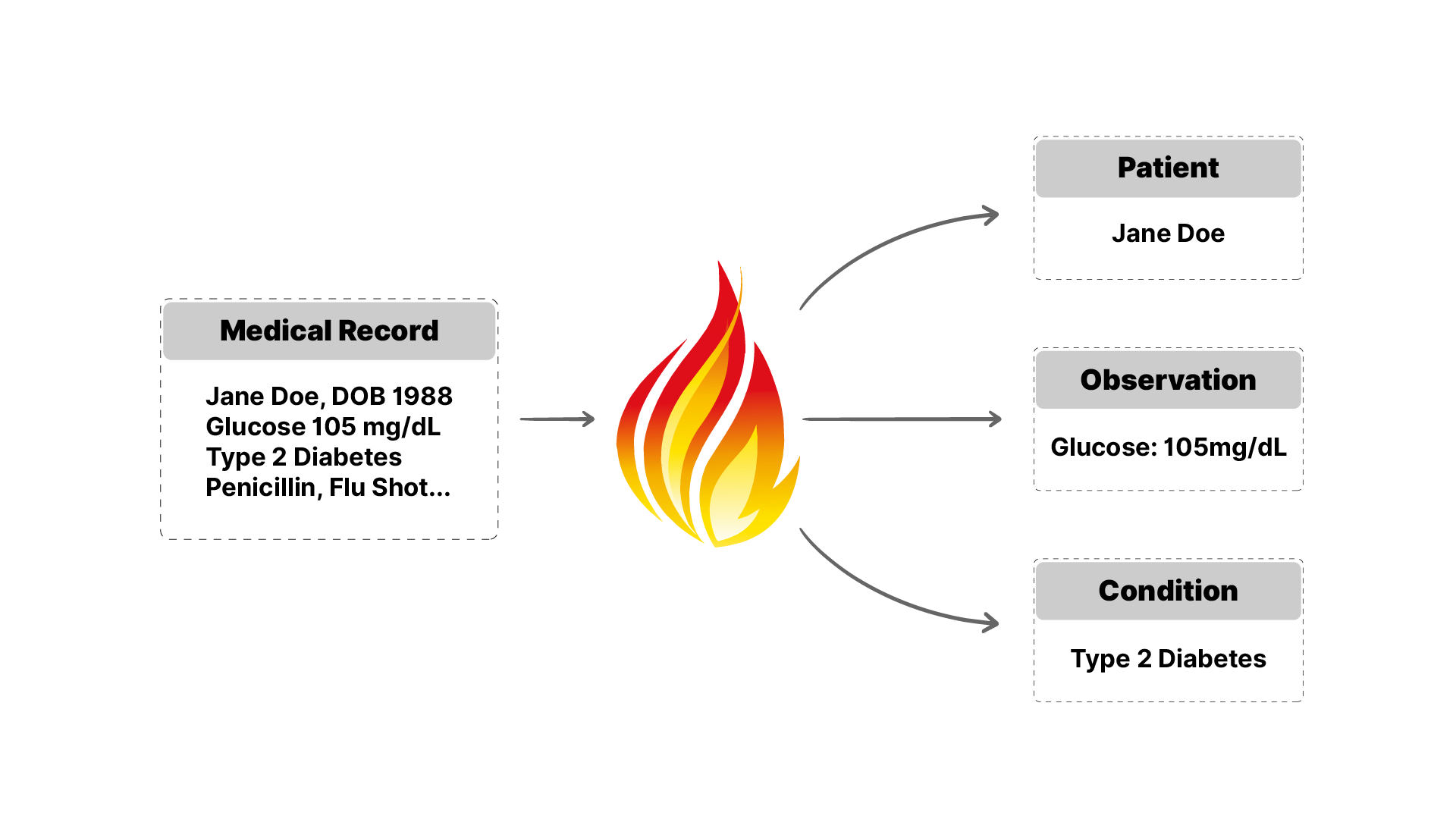
The US then went a step further with US Core, a set of profiles on top of the international FHIR standard that pins down exactly what US hospitals must expose. US Core specifies the shape of the data, how vitals should look, how blood pressure should look, how a medication request should look, and which codes need to go inside each one, so that when an app reads the data back, it actually makes sense. US Core is what defines everything you can pull from US hospitals today. (Apple Health supports FHIR R4 following US Core v3.1.1, per Apple’s own technical documentation.)
The security layer is SMART on FHIR. It builds on OAuth 2, the same specification behind the “Sign in with Google” button you’ve clicked a hundred times. SMART on FHIR is that exact pattern applied to healthcare. When an app like Apple Health wants your records, it sends you to your actual hospital’s login page. You sign in there, you see a consent screen spelling out what the app will get access to, and only after you approve does the app get anything. The hospital authenticates you; the app just receives what you’ve permitted.
The third piece is the regulation, and without it the first two would have stayed on paper. The US government told essentially every hospital that wants to get paid by Medicare or Medicaid: you have to stand up a FHIR API that patients can access, and you cannot block information. This has a name. It’s the 21st Century Cures Act, whose information blocking rules make interfering with data access a punishable offense, and whose certification program includes a criterion called g(10) requiring EHR vendors to expose a standardized FHIR API.
Which is exactly how hospitals satisfied it: through their vendors. The vendors are now mandated to expose the data over FHIR and secure it behind the SMART on FHIR layer, so the patient logs in and consents before any app sees a single record. Discovery is solved too. Apple runs a page where organizations register their endpoints, and vendors publish public directories of their own; Epic, for example, maintains a page listing hundreds of hospitals with their FHIR endpoints. Every one of those is an endpoint your app can reach, where your users can log in and consent to your app receiving their data. Hold onto that; it matters later.
Here’s the entire process, step by step, with what’s happening underneath at each stage.
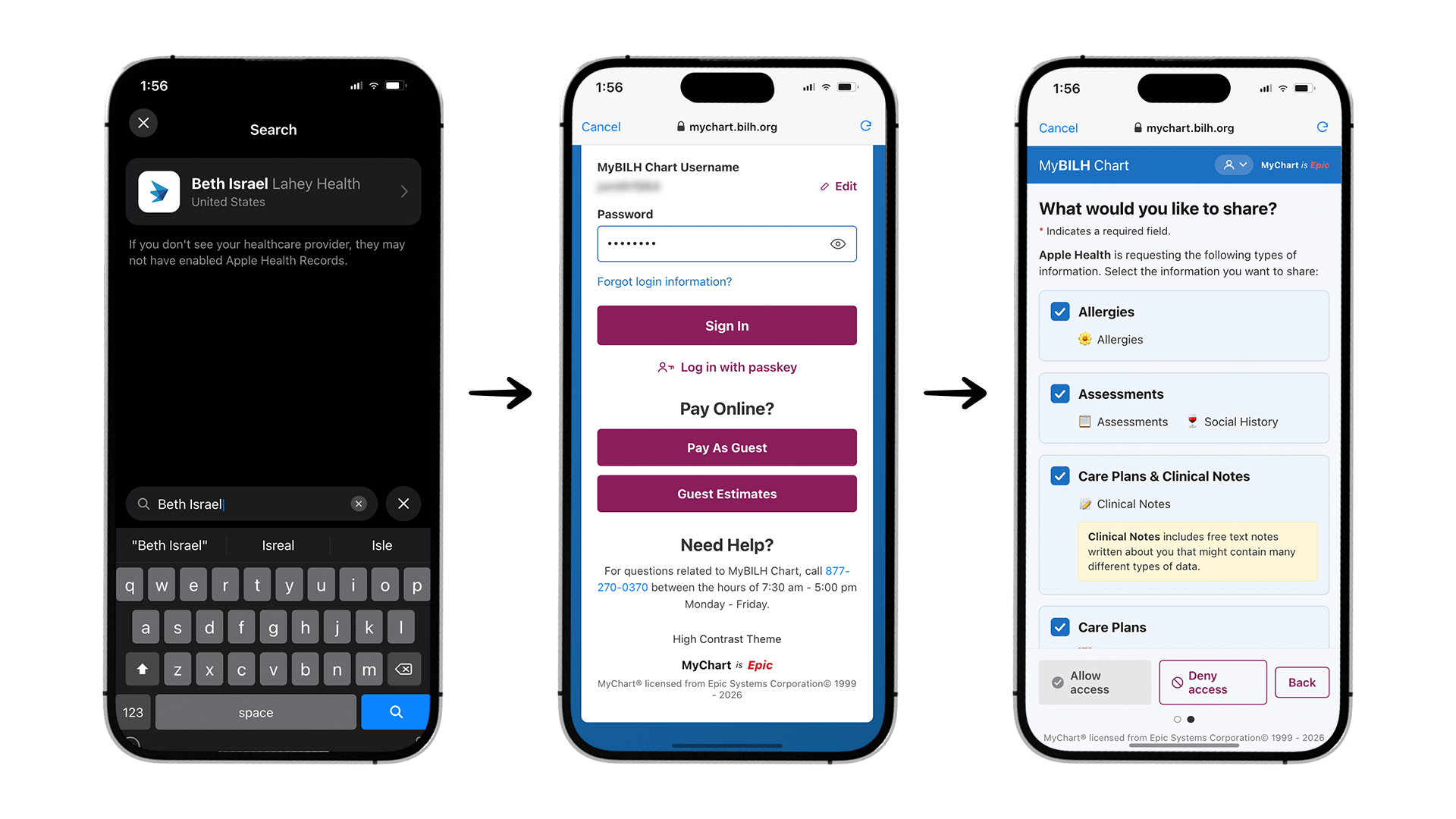
Step 1: Find the records feature. Open the Apple Health app and look for the option called Access Your Records, then tap Get Started.
Step 2: Pick your hospital. If location services are on, the app suggests hospitals near you. Otherwise, search for a hospital where you’ve received care and tap into it. You’ll land on a page that says Connect Account, pointing at that hospital’s patient portal. That searchable list exists because hospital endpoints are registered with Apple and published in public vendor directories.
Step 3: Log in, on the hospital’s own page. Tap Connect Account and you’re taken to a login page served by the hospital’s EHR. For an Epic hospital, that’s the Epic MyChart login screen. This is the OAuth flow from the previous section happening live, the healthcare equivalent of the redirect after clicking Sign in with Google. Apple never sees your hospital password; you’re typing it into the hospital’s own system. Use your patient portal credentials (the ones you likely got when the hospital set up your account; there’s a forgot-password option if it’s been a while). Sometimes there’s an OTP or two-factor step here too.
Step 4: Review the consent screen. After login comes the important screen. It tells you plainly that Apple Health wants access to your information and lists exactly what you’d be allowing it to access. Scroll down and confirm. This is SMART on FHIR doing authorization: nothing moves until you approve.
Step 5: Watch the records flow in. You’re bounced back to Apple Health, and the records start appearing. Medications, labs, diagnoses, pulled from the hospital and onto your phone as US Core FHIR resources.
That’s the whole thing from the user’s side: search, log in, consent, done, and every screen in the flow maps to a piece of the stack.
Once you consent, where does the data actually go? Your phone fetches the records directly from the hospital’s servers, and they get stored on your iPhone in encrypted form. The data never passes through an intermediary Apple server along the way. It’s a direct connection: hospital to device.
Under the hood, Apple stores these records using the HealthKit SDKs. HealthKit maintains an on-device database for all of this clinical information, and whenever your iPhone is locked with a passcode, Face ID, or Touch ID, that data is encrypted by default.
Now for the catch, and it surprises most people. You’d expect all healthcare data to be covered under HIPAA. In this case, it isn’t. HIPAA covers healthcare providers, insurers, and the entities working on their behalf. The moment you, the consumer, consent to pulling your own records into a consumer app, that data can legally be treated like any other consumer data. The hospital’s copy stays protected; the copy on your phone, in a third-party app, sits outside HIPAA’s reach.
The industry’s answer to this gap is voluntary. Many apps sign the CARIN Alliance code of conduct, a contract committing them to treat consumer-consented health data roughly as carefully as HIPAA would require. Medblocks is a CARIN Alliance signatory and treats this data almost as if it were HIPAA-covered information. Almost, because the honest framing is that this remains a commitment, and a legal obligation only to the extent the contract makes it one. When you’re choosing which apps get your records, check whether they’ve signed.
The records Apple Health pulls don’t just sit there for you to read. Other apps can access them through the HealthKit APIs, with your permission.
That means you could build an iPhone app that reads a user’s hospital records out of HealthKit, and combine them with everything else HealthKit already holds: step counts, sleep cycles, data from wearables, even continuous glucose monitors. Clinical records and lifestyle data, side by side, on one device, behind one permission model.
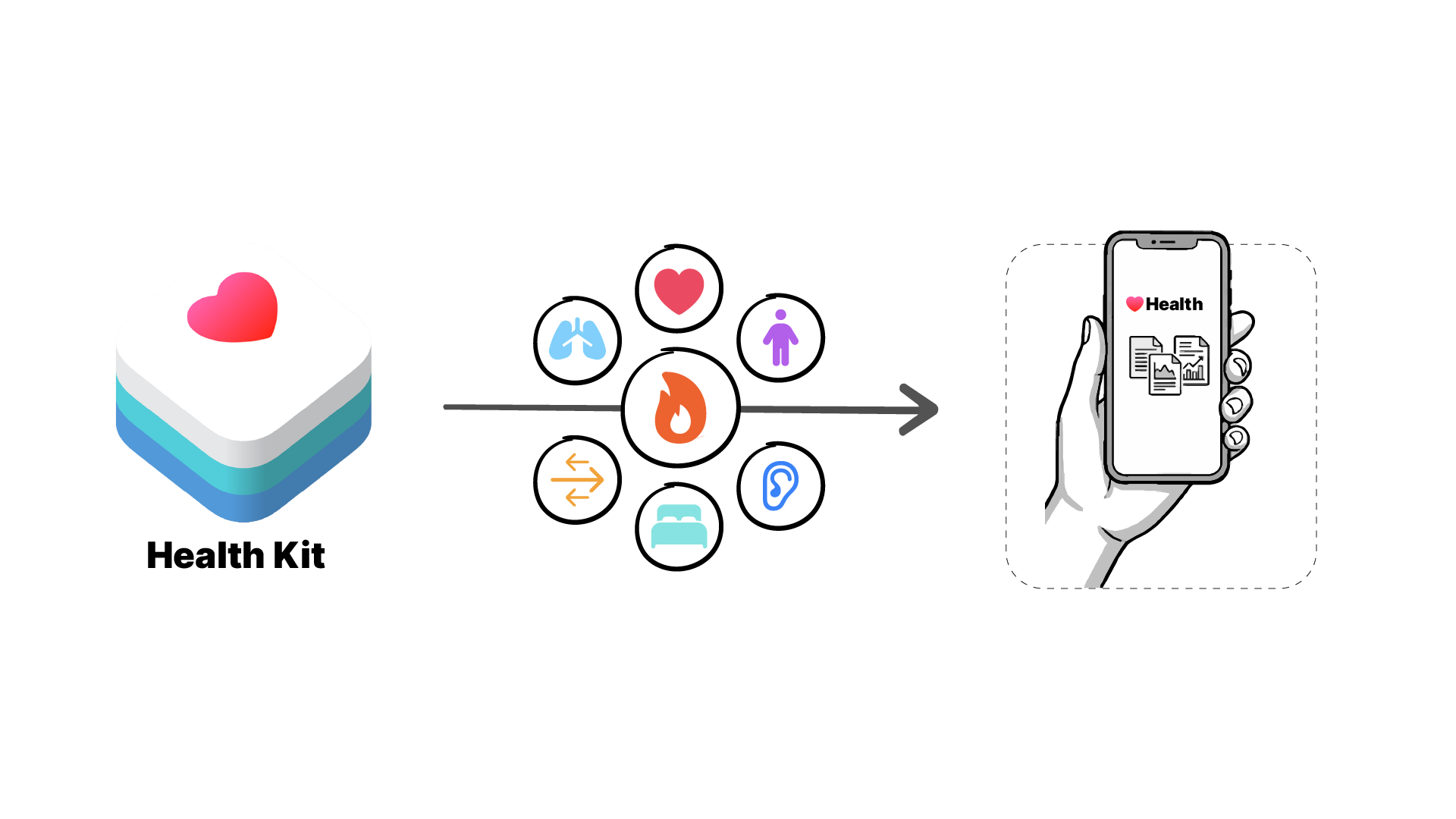
The iPhone has effectively become a personal health record you carry everywhere, where you decide who gets access to what. For decades, the personal health record was an idea that kept failing as a product. It’s now shipping as a feature of the phone already in your pocket.
And this goes beyond Apple. Samsung Health has offered a similar records feature for a long time, and Google has brought medical records to Android through Health Connect, an on-device store where apps can read and write records like allergies, medications, immunizations, and lab results in FHIR format, gated behind explicit user consent. The approach differs slightly, since Health Connect leaves the hospital connection to the apps themselves, but both platforms are converging on the same model: FHIR data, on-device, consumer-controlled.
Everything so far assumes the hospital hands over clean, modern, US Core compliant FHIR data. All the big EHRs support it: Epic, Cerner (now Oracle Health), athenahealth, eClinicalWorks, Allscripts, Meditech. The ONC, which oversees this regulation, holds them to a specific certification criterion called g(10), and vendors have real incentive to comply. The information blocking rules have teeth; EHRs that fail to expose a working FHIR API can end up in court.
But “supports FHIR” hides a lot of work. On the surface, pulling records looks like a simple API call. Underneath, most vendors have built what’s best described as a FHIR facade: a compliant front over a complex internal system, where the data flows in from three or four different sources and gets coded back into US Core before it ever reaches an app. A vendor with messy legacy data is now on the hook for going back, cleaning it up, and serving it as compliant FHIR that an app like Apple Health can consume.
We’ve seen this from the inside. Medblocks has worked with EHR vendors in exactly this position, some staring down ten different internal systems they had to connect and extract from before they could serve a single clean FHIR response.
The facade is a feature of the design, though. Apps get a uniform interface; the vendor absorbs the mess. And that’s what makes this a fresh turn in the long story of health data sharing. The regulation is strict enough that access is enforceable, and as a patient, you can now pull essentially everything the EHR holds on you. After decades of that data being locked away, that shift is remarkable.
Suppose you want your app to do what Apple Health does: let a user log in to their hospital and pull their records. You have two paths.
The first is to build on Apple’s stack. Read the records out of HealthKit, as covered above, and let Apple Health handle the hospital connections. It works, but it’s iPhone-only, and it only gets you data the user has already connected through Apple Health.
The second is to connect to the EHRs directly. You need to find the endpoints for every EHR vendor you want to cover. You need to register your app with each of them. And you need to learn the nuances between the FHIR resources that come out of different vendors’ systems, because a facade built by Epic and a facade built by Meditech won’t behave identically, even when both are US Core compliant. Teams routinely budget months for this.
The Medblocks platform exists to collapse that second path. You get patient access through one set of APIs. Your users log in to any hospital of their choice, consent, and their records flow directly into your app. There’s no Epic documentation to work through and no six-month integration project. Your first thousand patients are free.
TrialMatched is one example of this in production. They match patients to clinical trials, and complete medical records are the raw material for that matching. Patients come to their website, authenticate with whichever hospital system they use, and their records arrive through the Medblocks APIs. The TrialMatched team has never touched a line of Epic documentation.
The industry spent a long time stuck. It’s getting unstuck now, and that makes this a good time to be building. If that includes you, the early preview is open, and so is the conversation. If something here is wrong or missing, say so; that’s how these pieces get better.
What clinical decision support tools exist, how they work in Epic, Oracle Health and OpenEMR, why alert fatigue happens, and how to build CDS with CDS Hooks, FHIR and CQL.
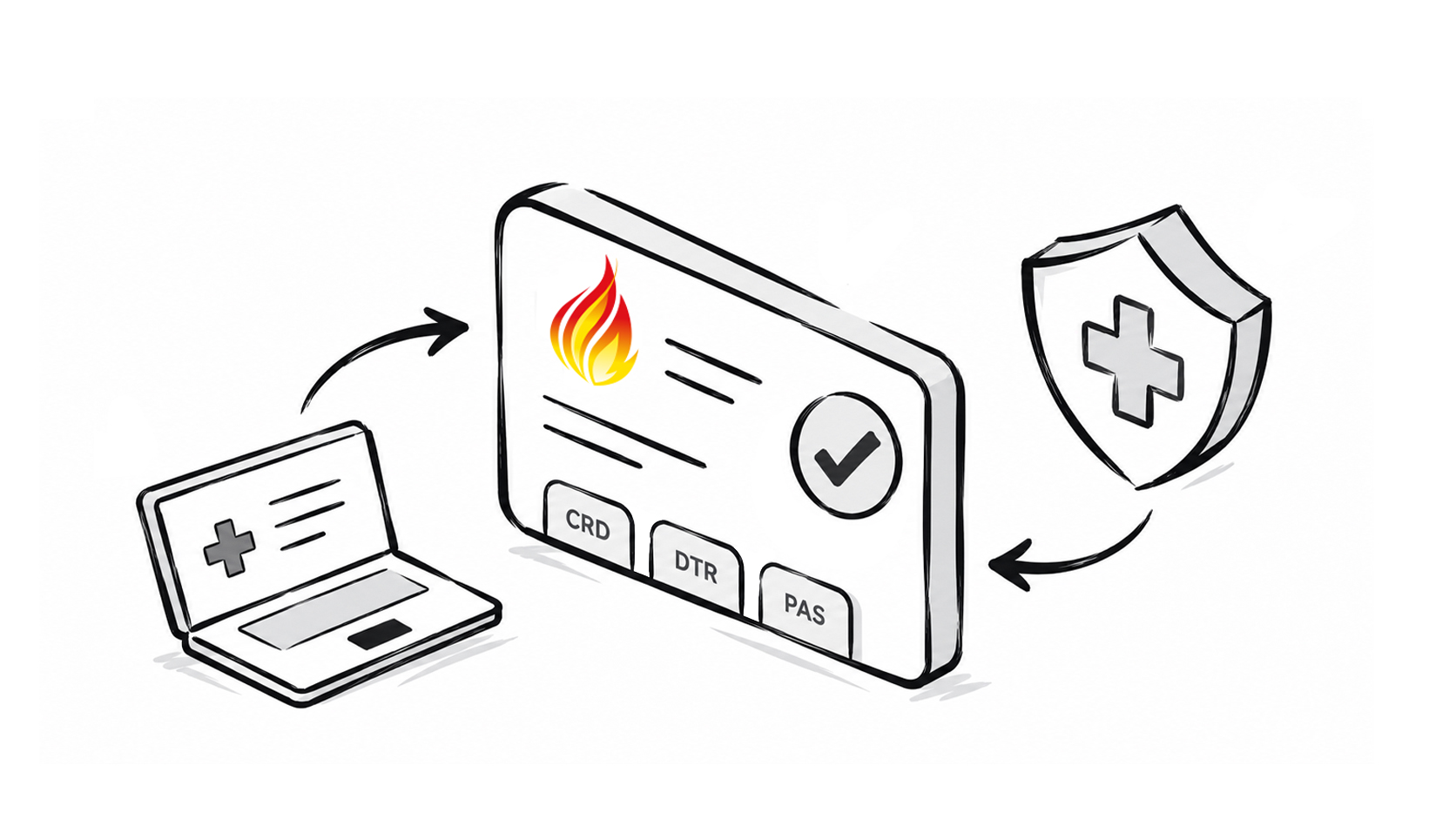
A technical reference for the FHIR prior authorization APIs. What CRD, DTR, and PAS each exchange, how one hands off to the next, and the authentication, versioning, performance, and testing rules underneath them.
Synthea generates brilliant synthetic patient data, but only in US Core. HiGHmed needed it in Germany's MII profiles. Here is how we rebuilt it. Fully open source.
No comments yet. Be the first to comment!