Medblocks × HiGHmed: Adapting Synthea for Germany’s MII FHIR Profiles
Synthea generates brilliant synthetic patient data, but only in US Core. HiGHmed needed it in Germany's MII profiles. Here is how we rebuilt it. Fully open source.
June 10, 2025
You can ship your patient-facing FHIR app to hundreds of Epic hospitals in just 48 hours! All you need to do is meet 6 simple criteria.
Patient-facing healthcare applications are changing the way individuals interact with their medical data - allowing transparency and control. With the adoption of FHIR standards and growing regulatory support, there’s never been a better time to build patient-facing apps. But for developers who want to deploy on Epic - a leader in EHR platforms that covers over half of US hospital inpatient beds - the challenge doesn’t end at just development. In fact, publishing and distributing the app can be harder than it looks.
Many devs find themselves stalled after development, even with proper FHIR integration getting your app published on Epic can involve long timelines filled with manual approvals, legal agreements and iterations. There is a lesser known but highly effective process we can take for publishing, and that is Automatic Client Record Distribution for patient applications. With this, if your apps meet certain criteria, you can skip the red tape and have your app ready for use by its entire hospital network in less than 48 hours. In this tutorial, we will walk you through this process and share our insights on how to get your app distributed in no time at all.
Automatic Client ID Distribution is a way to propagate applications that meet specific criteria to all Epic’s partner hospital instances that have auto-download features enabled. To qualify, your application must
These conditions ensure that the application remains within the bounds of federal interoperability mandates. Once these boxes are checked and your app is ready for production, Epic will distribute your app’s client ID to all eligible hospitals automatically.
Note: Your app could be disqualified from automatic distribution by including even a single unsupported scope. This would force you into the manual process.
Here’s how you can build a patient app using the Epic on FHIR sandbox and deploy it easily.
Step 1: Use the Epic on FHIR sandbox
Epic on FHIR is a free resource for developers to create apps for patients and healthcare organizations. You can create, test and deploy your apps from this interface.
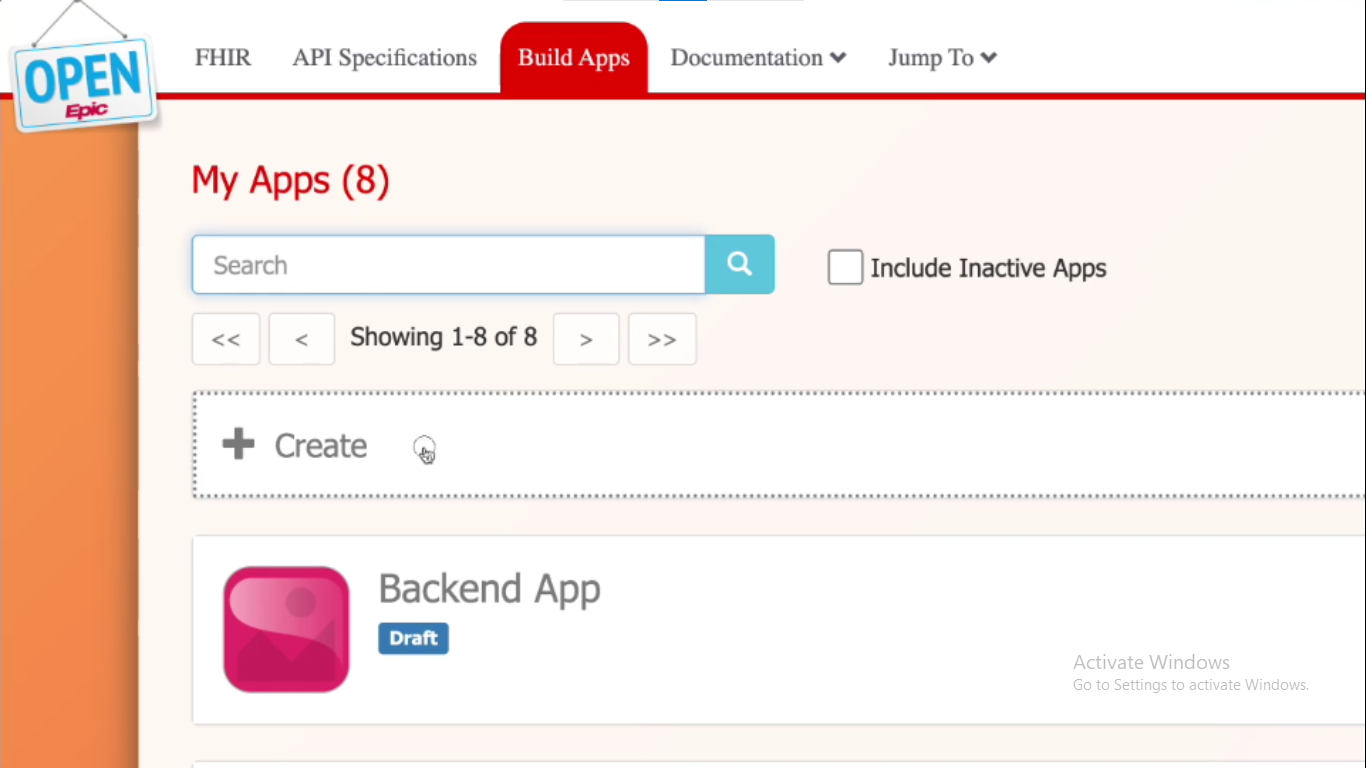
Here, we’re creating a new app.
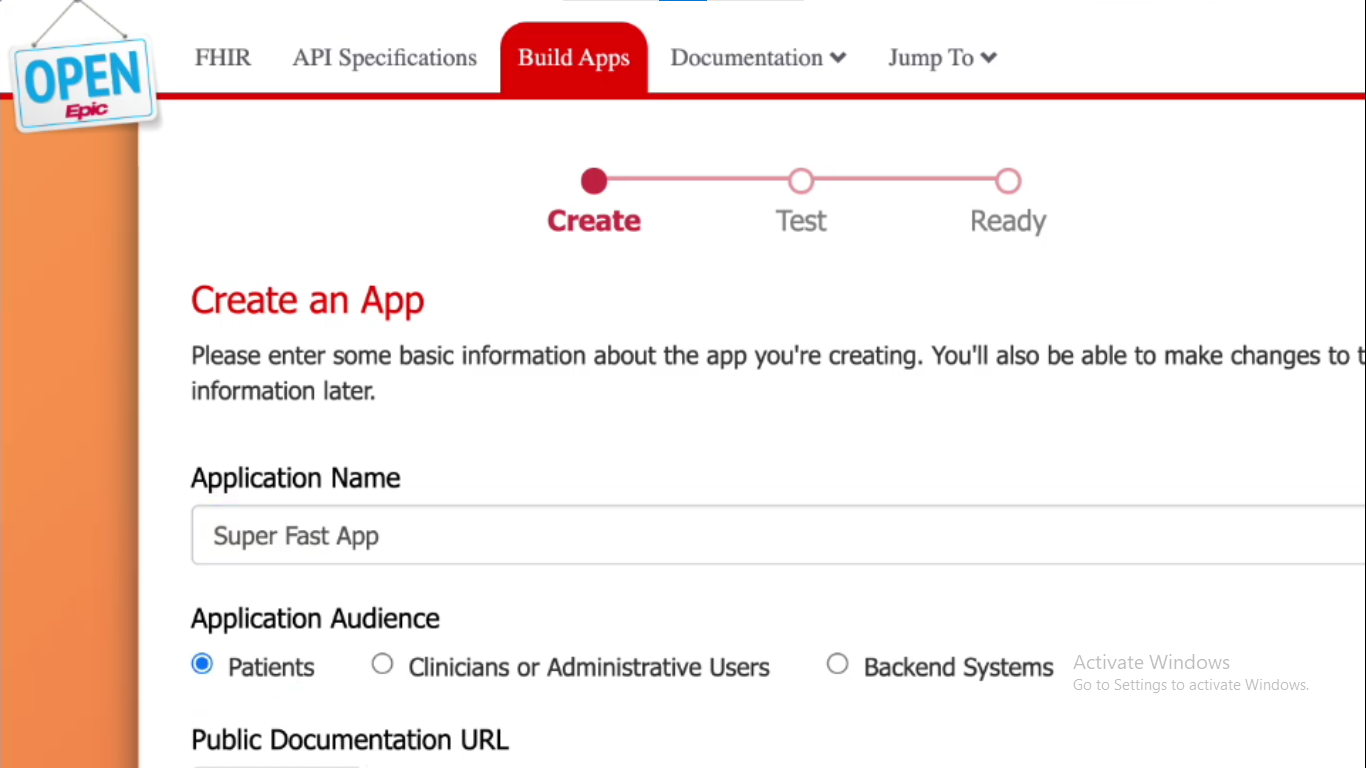
Step 2: Select the FHIR APIs you require,
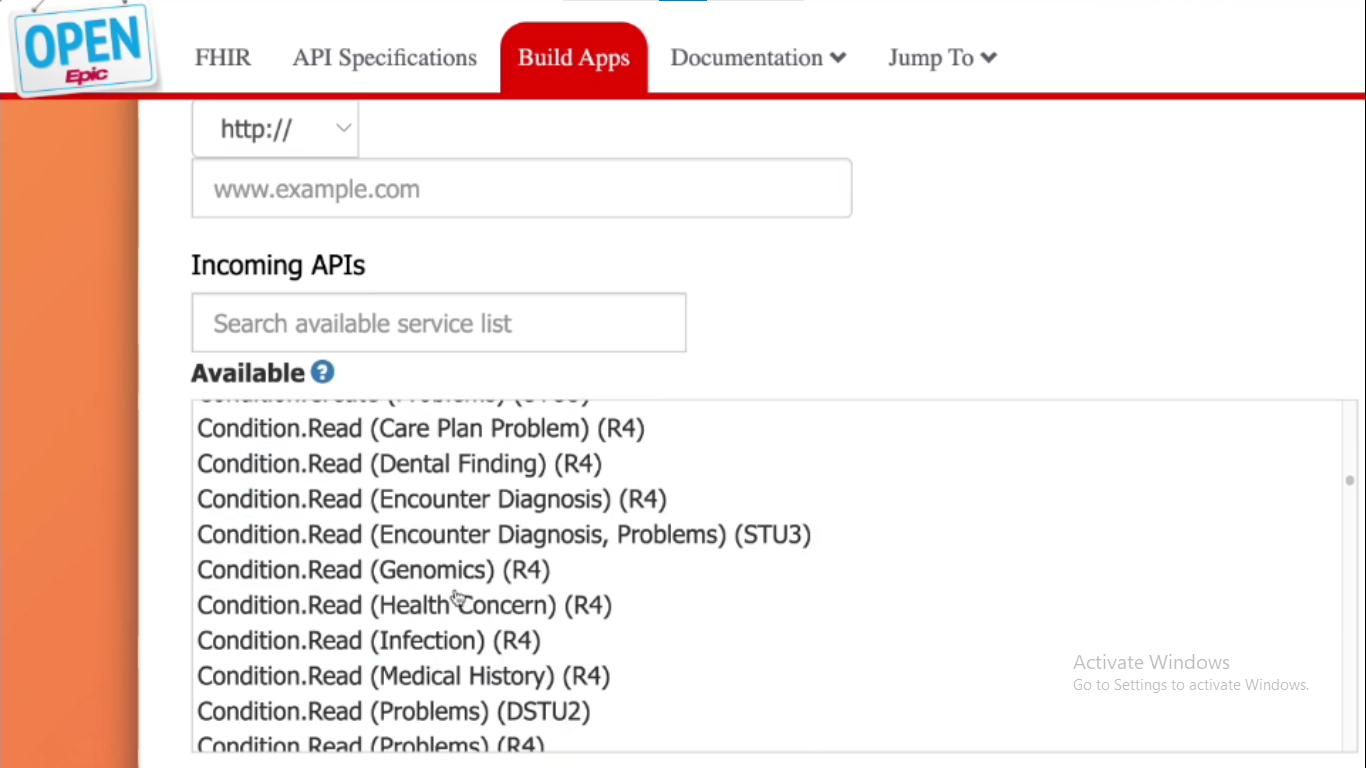
For the app to be eligible for Automatic Client ID Distribution, the APIs it uses must be limited to USCDI v1 or v3 FHIR APIs, as in the list provided by Epic in this Appendix.
Step 3: Configure app settings
Next you have to,
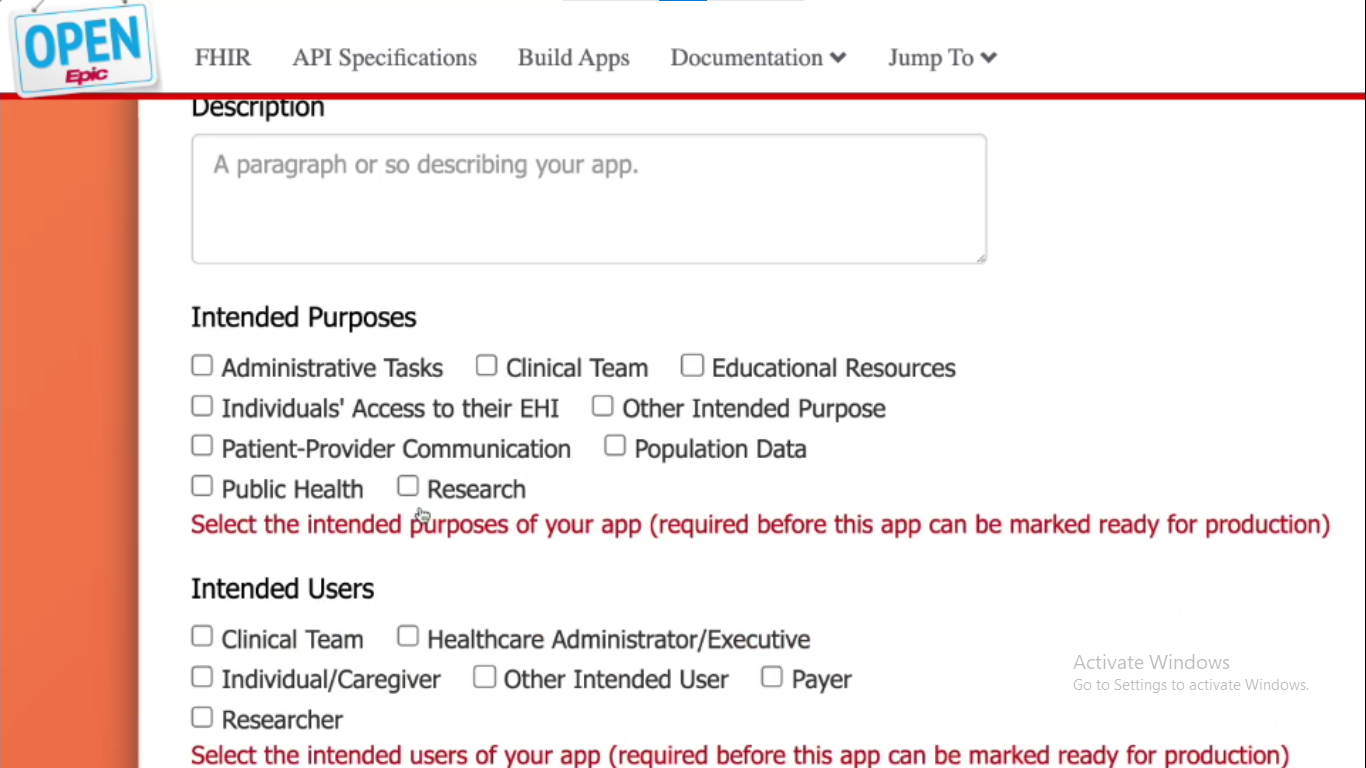
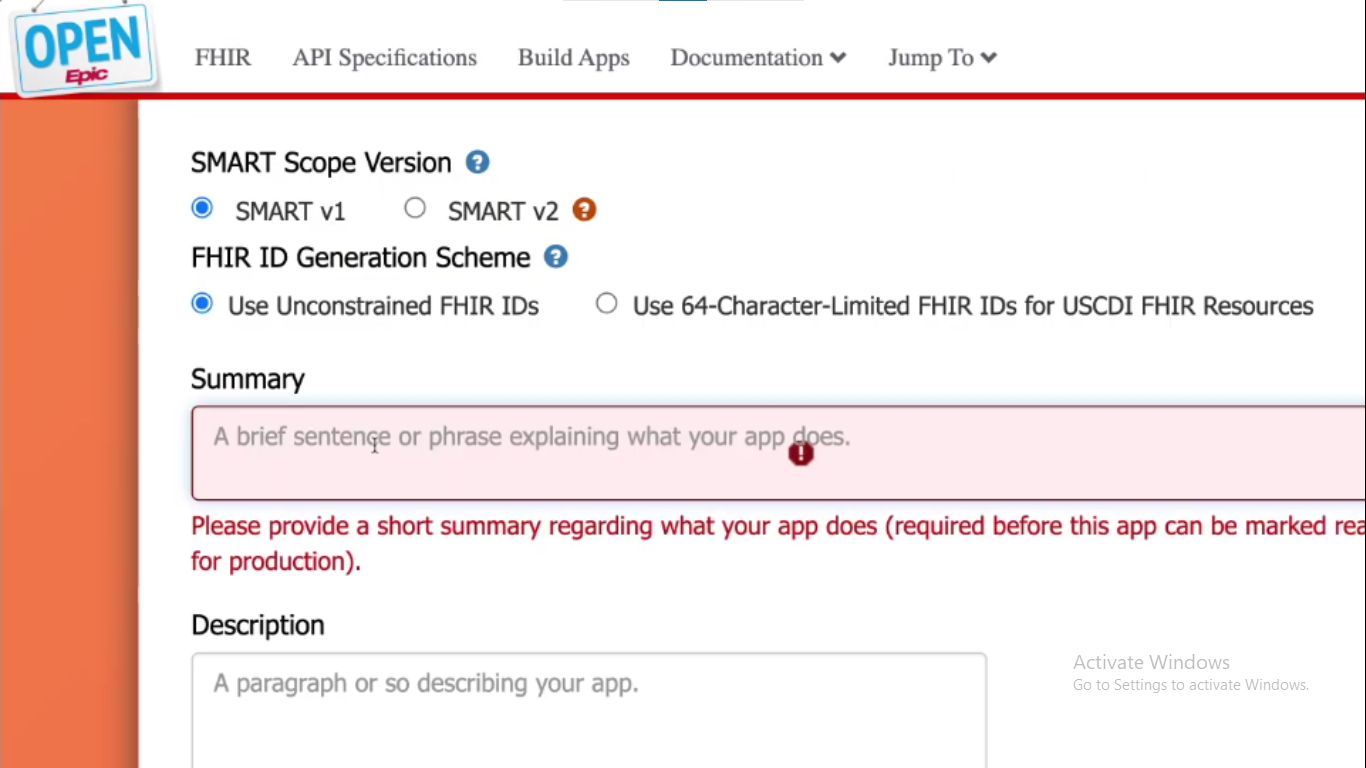 Step 4: Finalize and submit
Finally, you can mark the app as ‘Ready for production’
Step 4: Finalize and submit
Finally, you can mark the app as ‘Ready for production’
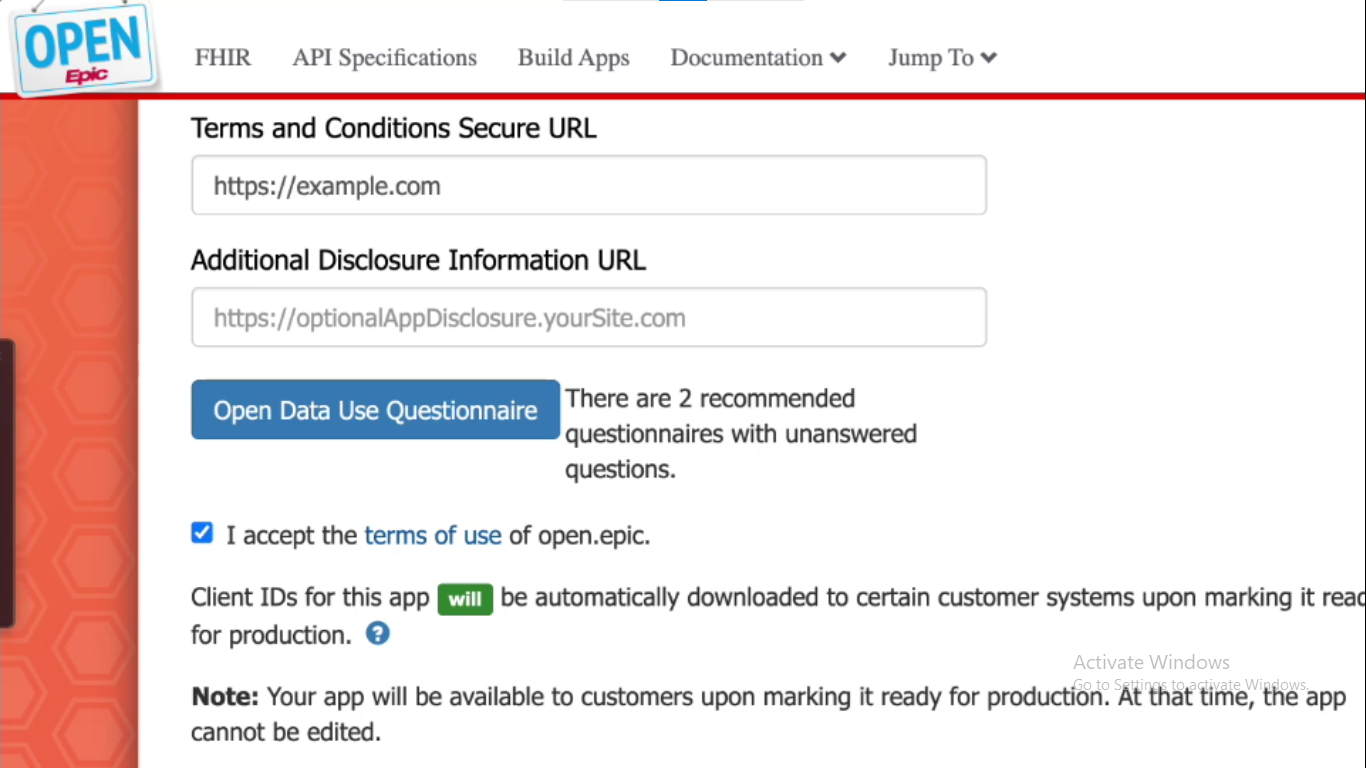 If your app meets the above criteria, it will automatically be pushed to all community members within 48 hours.
Navigating Epic’s app ecosystem can be bureaucratic and overwhelming. Automatic Client ID Distribution is a simple way to bypass tedious processes in the case of patient facing applications that meet certain criteria. By ensuring that your app aligns with USCDI requirements, keeping it read-only, and configuring it with Epic’s FHIR portal, your app can be accessible to millions of patients in just two days.
In our FHIR webinar, Dr. Sidharth Ramesh answers your burning FHIR questions, including discussing integrations such as Epic. Register today to learn more.
Synthea generates brilliant synthetic patient data, but only in US Core. HiGHmed needed it in Germany's MII profiles. Here is how we rebuilt it. Fully open source.
We walk you through building a FHIR server on top of Couchbase's NoSQL database, covering challenges, technical decisions, architecture, and local setup.
Stop drowning in FHIR docs. From HAPI FHIR & Simplifier to Inferno & validators - 10 tools that save hours. Covers servers, testing & profiling. Updated 2026.
No comments yet. Be the first to comment!