Solution: Modeling Lab Results
In the previous lesson, you were asked to identify the right archetypes to model a lab returning results for a blood glucose test. Let us now walk through a possible solution, through the process of choosing archetypes.
Selecting a root archetype
The first question is: What is the root archetype?
Since a lab is responding to a practitioner request and communicating results, we might be looking for a report. Let’s look at the mature COMPOSITION archetypes for something that fits.

Result report (v1) (or report-result.v1) looks promising, let’s take a look at the header.
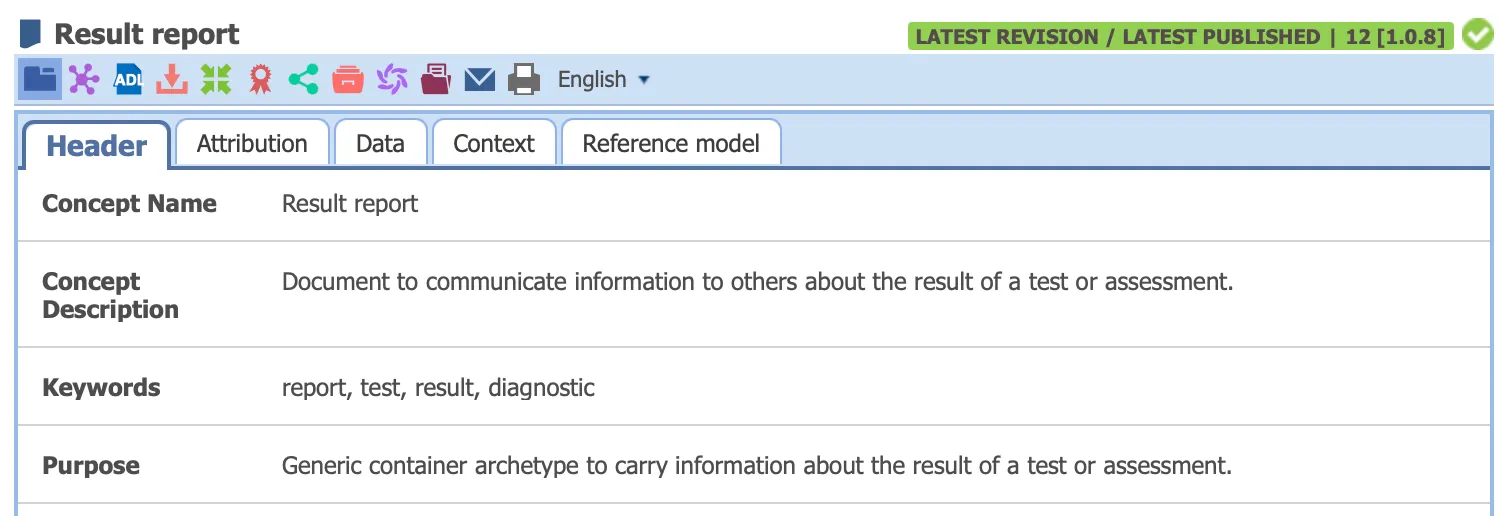
Based on the description, “to communicate information to others about the result of a test or assessment”, it sounds exactly like what the lab wants to do.
This archetype also gives us standard report-level fields like ID and status which are appropriate and expected.
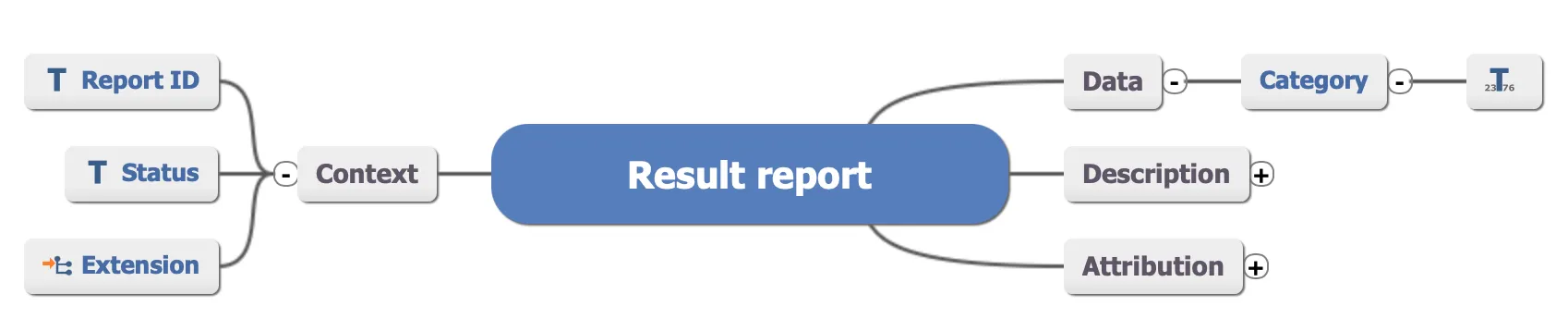
Find the main ENTRY archetype
In the scenario, the lab will return a blood glucose result. Searching for blood glucose on the CKM, however, it will return no results. What’s going on?
If you think about it, a blood glucose result is a lab result, that is, it is part of a broader set of clinical data that provides insight into a patient’s condition. It is a measurement that is captured from a laboratory test.
So, the appropriate archetype would be an OBSERVATION, and we can search for “lab” to see what exists.
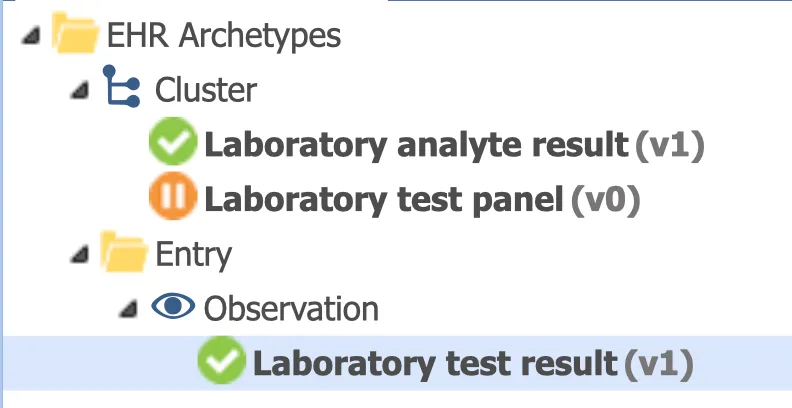
The archetype ‘Laboratory test result (v1)’ or laboratory_test_result.v1 looks promising. Looking at the header and data points we see that this archetype can capture:
- the test name
- specimen details (if needed)
- test status, and
- test result
This makes it the right main ENTRY archetype to include.
Capture details in the right CLUSTER
Inside laboratory_test_result.v1, the actual test result is represented as a slot. When we explore this, we see two main options:
- a panel test result
- a single analyte result
Since in our example we just need a single blood glucose value, we can go with laboratory_test_analyte.v1.
This CLUSTER allows us to capture:
- analyte name
- result value
- units and data types
For blood glucose, the result is typically recorded as a quantity or concentration. The archetype supports this and unnecessary fields can be deselected.
Panels can be useful for grouped tests like a Complete Blood Count.
Final solution summary
The three archetypes we selected are:
- report-result.v1
- laboratory_test_result.v1
- laboratory_test_analyte.v1
If you’ve successfully identified all 3, congratulations! You’ve successfully applied the reasoning processed used so far:
- start with the clinical scenario
- choose the right COMPOSITION
- pick the correct ENTRY
- and add structure with CLUSTER archetypes when needed
At this point, you should be equipped to start modelling real-world clinical templates by exploring the CKM.