Deep Dive into the openEHR Clinical Knowledge Manager (CKM)
In the first module, we got a basic introduction to the openEHR Clinical Knowledge Manager (CKM), what it is, why it matters, and how to find and view archetypes. In this lesson, we’ll take it further.
You’ll learn how to:
- search more effectively,
- evaluate artefacts before using them,
- download them in the right formats, and
- understand how to get involved in the CKM community.
Search in the CKM
The Clinical Knowledge Manager (CKM) offers several ways to find archetypes, templates, and terminology sets, and each are suited to different needs.
Build your first real FHIR app in 15 days
500+ builders have done it. Live kick-off, structured modules, Demo Day. $27.
Join the challenge1. Quick search (Dashboard)
If you’re just getting started, the Quick Search box on the dashboard is the easiest way to search. Type a keyword (e.g., “blood pressure”) and click Find Resources. You’ll instantly see relevant results.

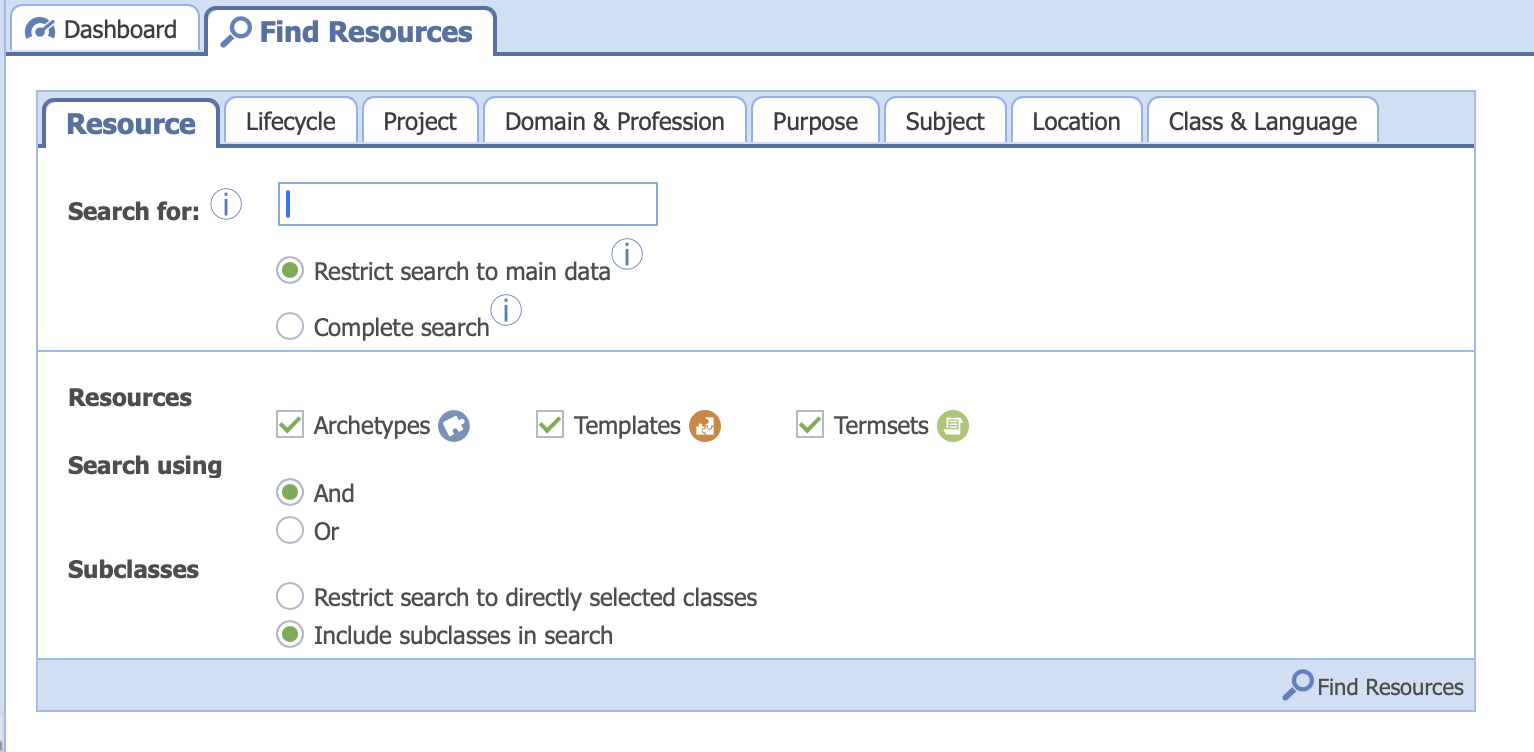
2. Find Resources tab
The Find Resources tab gives you much more control. You can:
- Use wildcards like
*or?for partial searches - Combine search terms using
AND/OR - Choose between Restrict to main data (faster) or Complete search (includes all archetype elements)
- Select which type of artefact to search: Archetypes, Templates, or Termsets You can also switch to the Projects sub-tab to limit your search within a specific clinical domain, such as laboratory or vital signs.
3. All Resources panel
The All Resources panel (on the left) allows you to search directly within the complete list of artefacts. You can:
- Filter by Project or Subdomain
- Switch tabs between
Archetypes
,
Templates
, and
Termsets
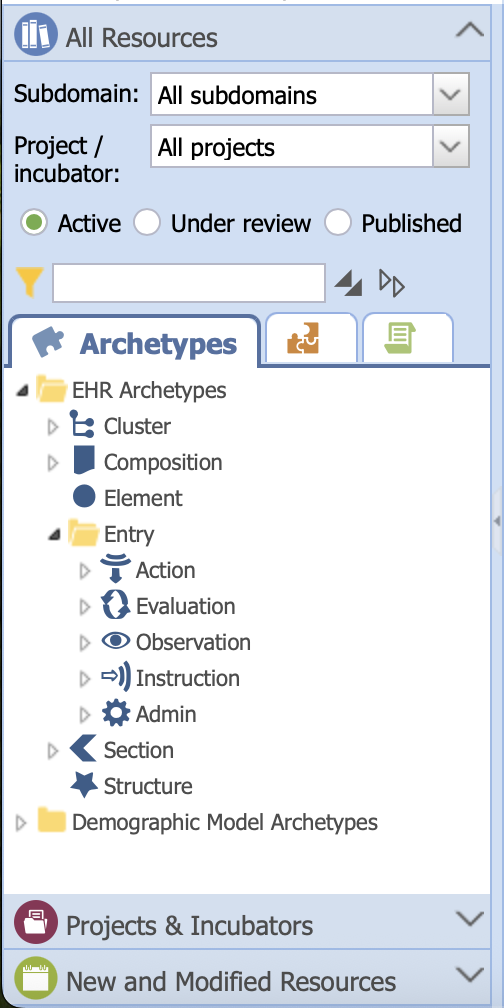
Search option in the All Resources panel
4. Searching within Projects
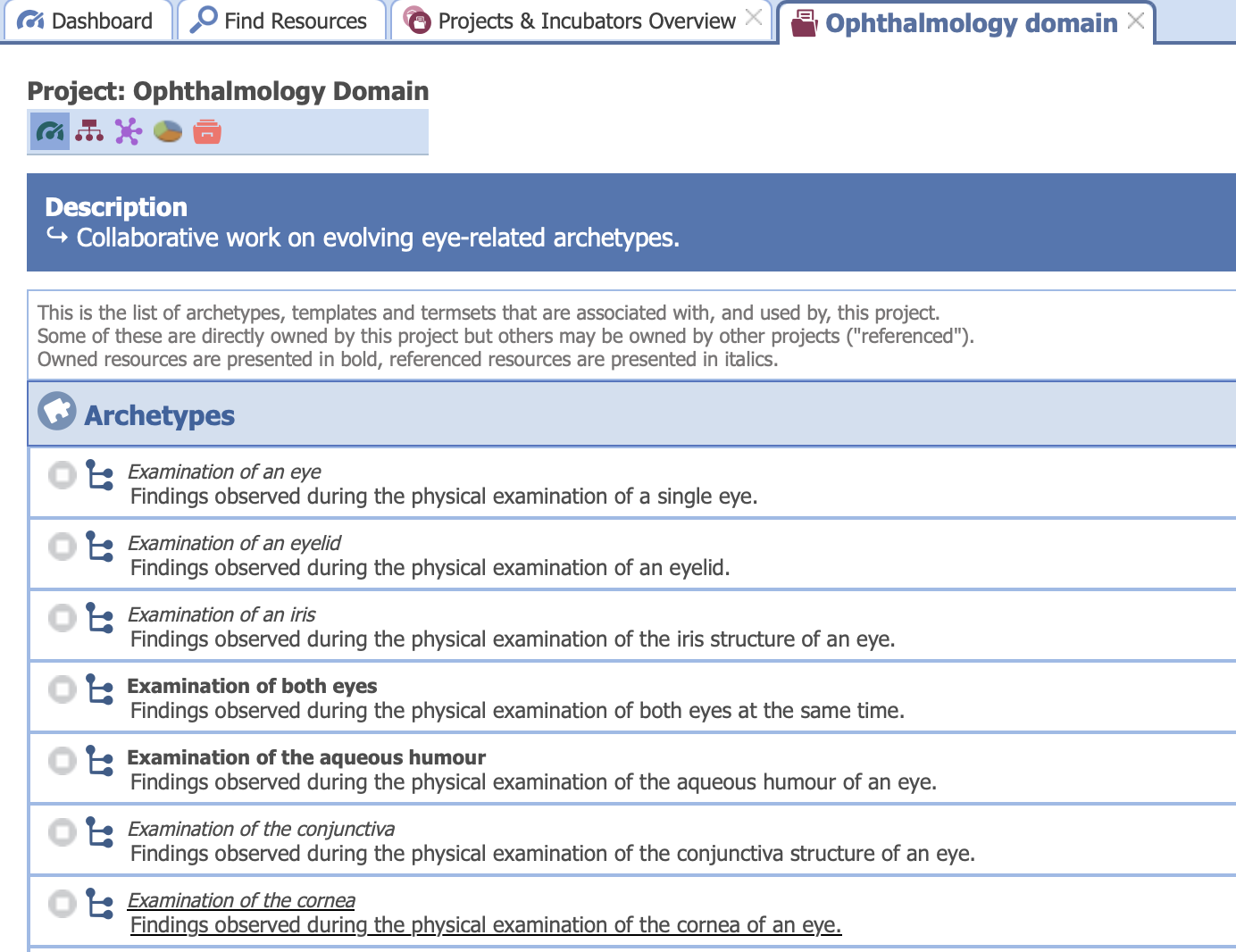
If you already know the clinical area, searching within a Project is the most focused way.
For example, if you’re looking for ophthalmology archetypes, go straight to the Ophthalmology project and explore what’s already curated there.
Best practice: Start broad, then refine your search with filters.
Evaluate artefacts before use
Finding an archetype is only the first step. Before you include it in your system, always check its quality and governance status.
Here’s what to look for:
- Governance Status: Is it Published, Under Review, Draft, or Deprecated?
- Metadata: Purpose, version, authorship, and linked projects help you understand its intent.
- Community Feedback: CKM pages include comments, reviews, and how widely an archetype is reused.
Tip: Always reuse community-approved archetypes whenever possible. Avoid deprecated or rejected ones unless you have a strong reason.
Viewing artefacts
Once you’ve found a promising artefact, CKM offers several ways to explore its structure.
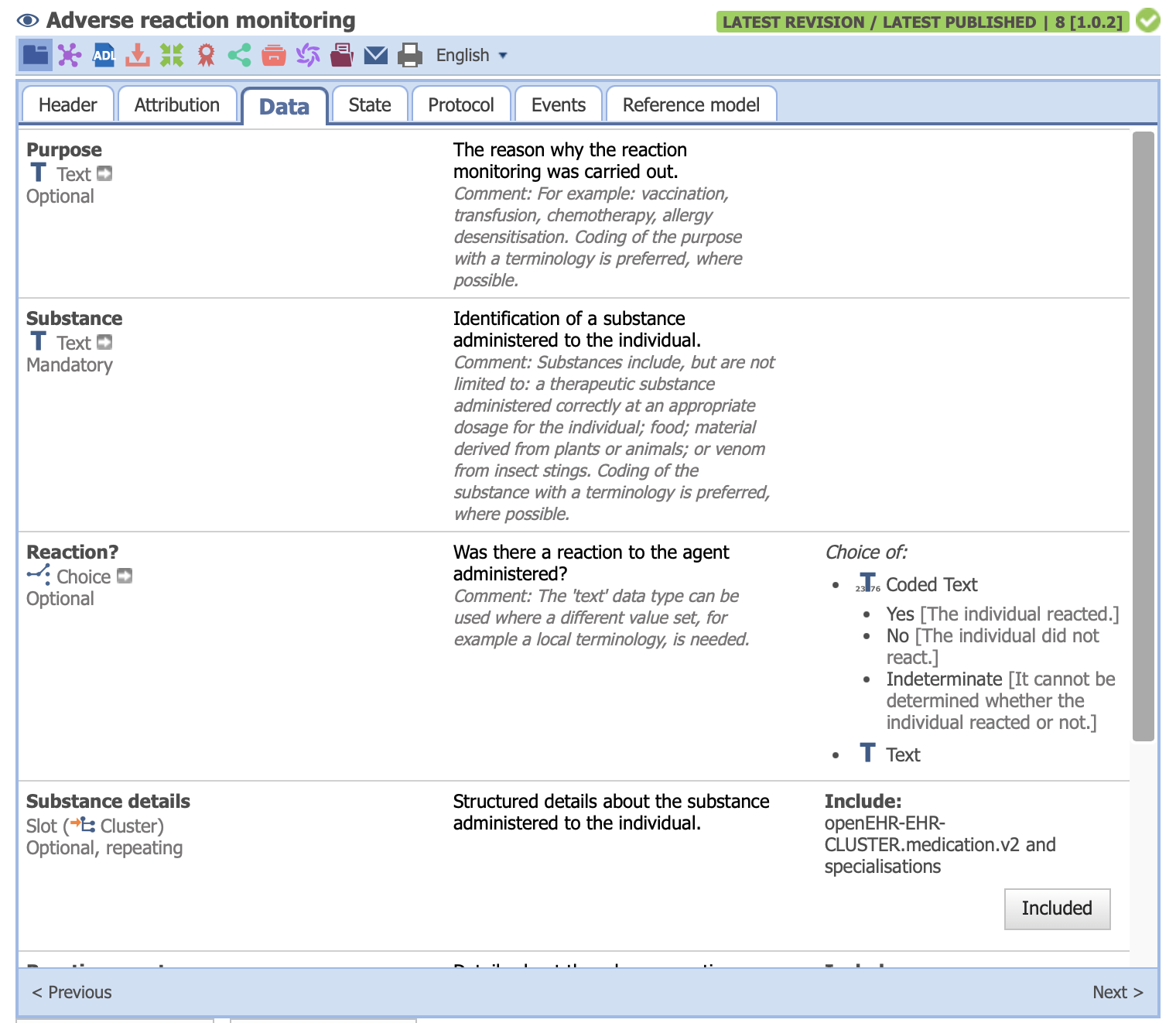
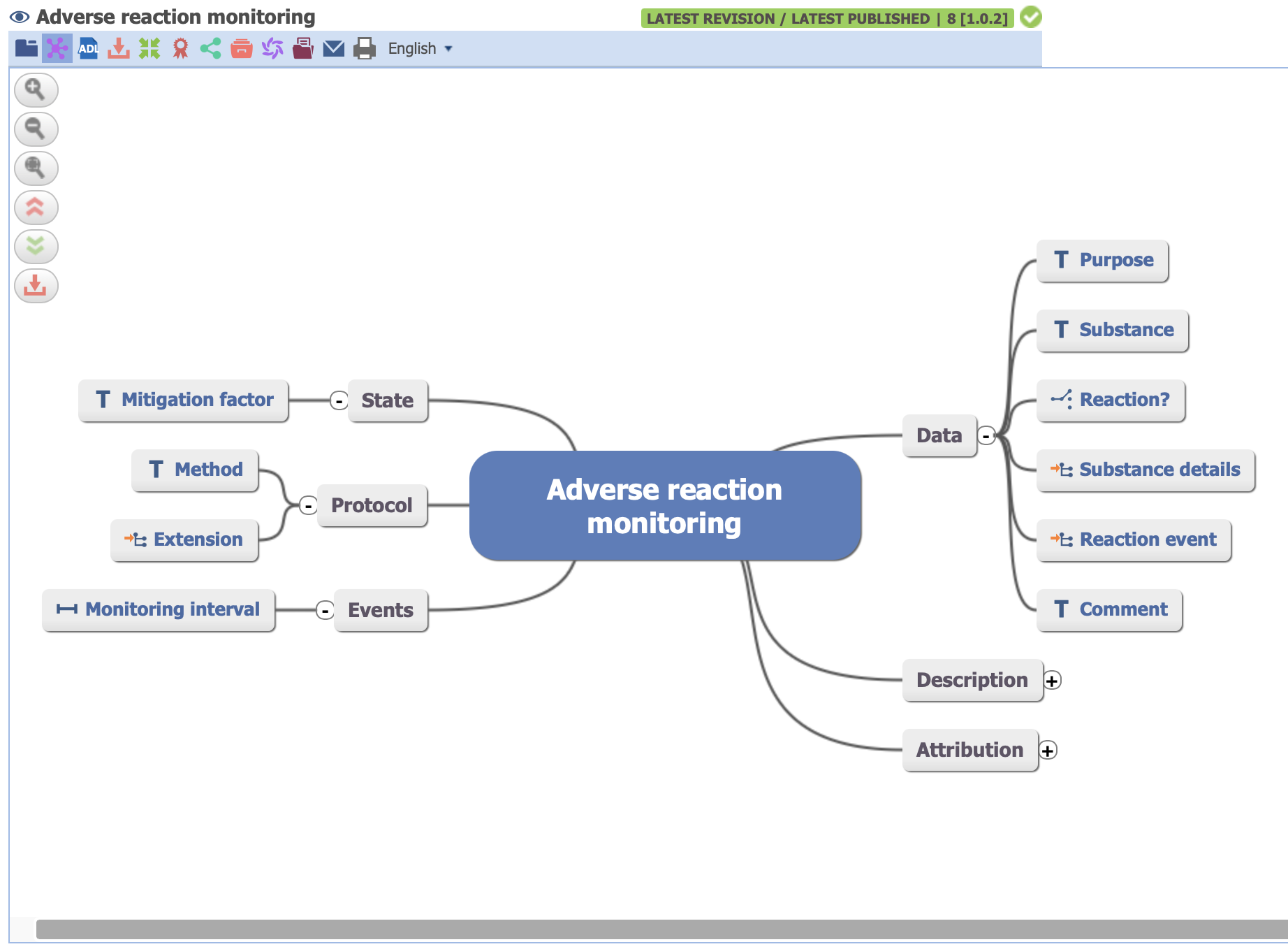
For Archetypes,
- Tabbed View: The default, with sections for Data, State, and Protocol.
- Mind Map View: A visual overview of the structure.
For Templates,
- Simple View: Shows basic info, purpose, and contents.
- Mind Map View: Gives a quick visual summary.
- Hierarchy View: Lets you drill down into each data element.
Termsets are usually displayed in Simple View, with options to see rendered queries or raw XML.
Users can use the Mind Map for a quick understanding, and the Tabbed or Hierarchy views for details and implementation.
Downloading artefacts
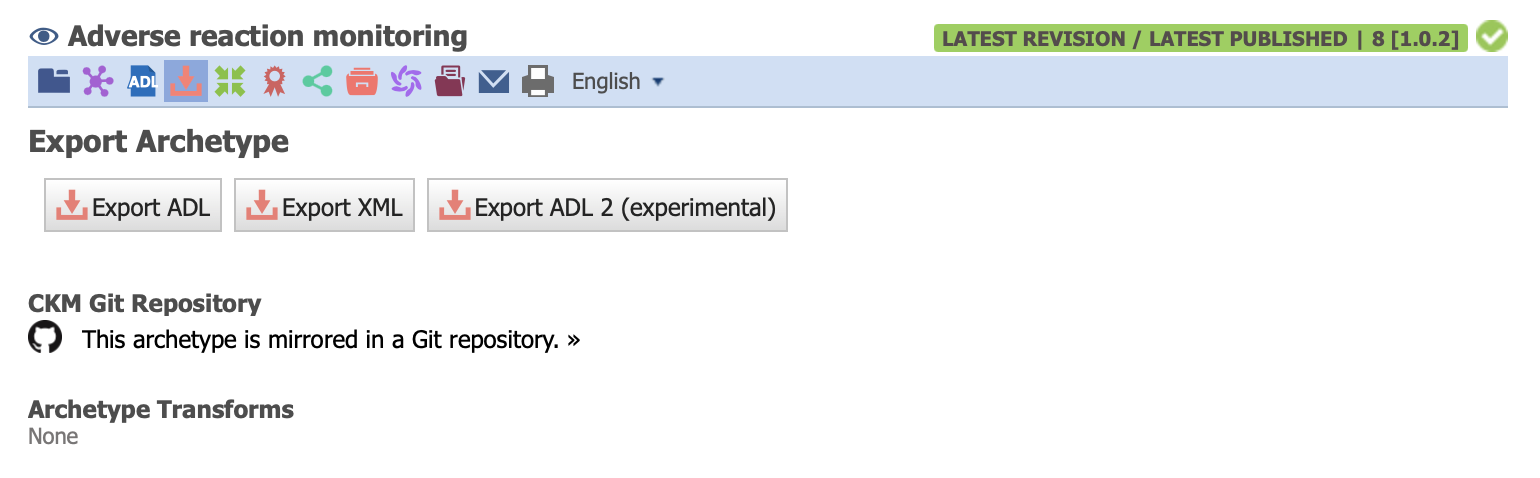
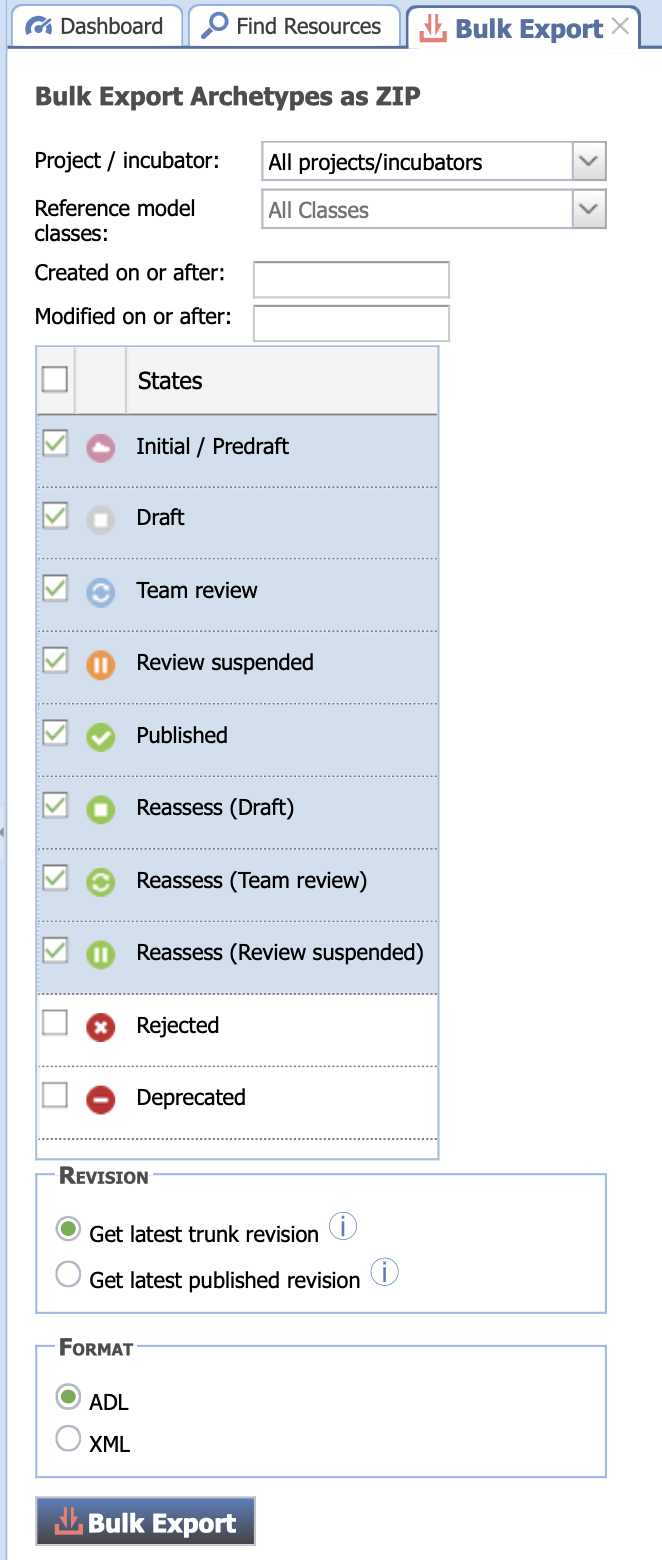
To use archetypes and templates in your own systems, you’ll need to download them individually or in bulk.
Archetypes
- Downloaded in ADL format (
.adl). - Bulk Export lets you filter by project, reference model class, date, or governance status.
- Bulk exports are downloaded as a ZIP file.
Templates
Templates can be exported in several formats:
- OET: openEHR Template (source format)
- OPT: Operational Template (used by servers)
- TDS: Template Data Schema (schema representation)
- TFS: Template File Set (all related files)
Termsets
Termsets can be downloaded in XML format and also supports Bulk Export.
CKM as a community
The openEHR CKM isn’t just a tool, it’s a global community effort. Every archetype and template goes through a governance workflow:
Proposed → Draft → Review → Published
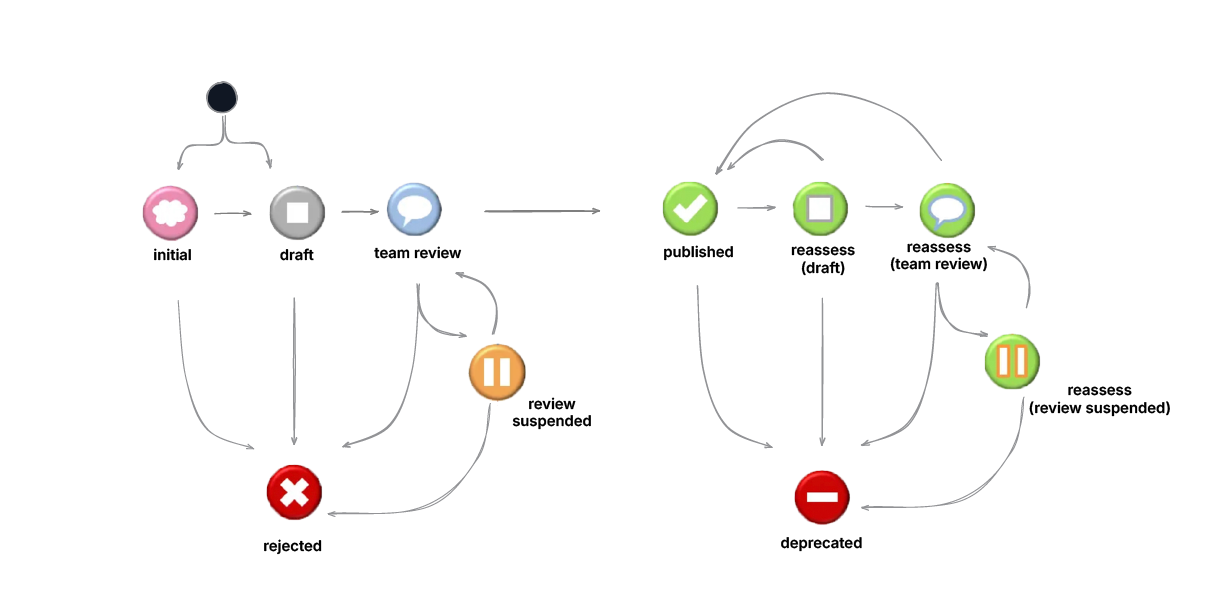
Experts from around the world contribute clinical knowledge, review artefacts, and ensure their quality and reusability.
You can get involved by signing up at the openEHR Discource. It’s an excellent place for beginners to ask questions, share feedback, and learn directly from the community.
Lesson summary
To make the most of the openEHR CKM:
- Search smartly using filters and project scopes
- Evaluate artefacts for governance status and reviews
- Download in the right formats for your tools
- And remember that the CKM thrives on collaboration
Always reuse before you reinvent. And whenever you can, contribute back to the community.