Compositions: Update, Retrieve Versions, Delete
In this lesson, let’s learn how to update, retrieve older versions and delete compositions in openEHR.
This is an important lesson because openEHR is designed to be versioned and auditable, so updates and deletes work a little differently than in a typical CRUD API.
Understanding composition ID
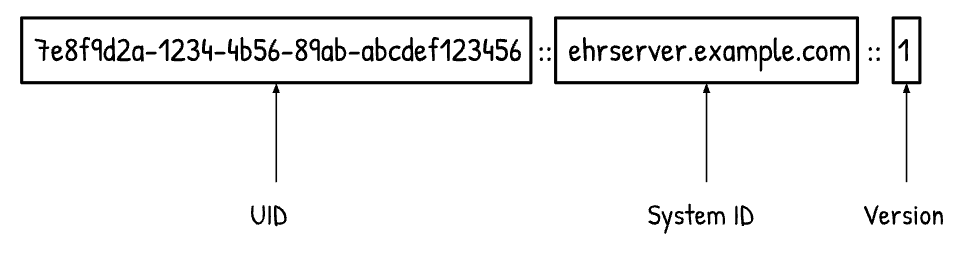
Before you update a composition, the first thing you need is the composition ID. The ID you see in openEHR is usually an Object Version ID or versioned composition ID which comprises of 3 parts:
- UID: uniquely identifies the composition
- System ID: identifies the server/system (configurable in the server)
- Version number: tells you which version of the composition this is
It typically looks like this: <uid>::<system-id>::<version>
For example:
Updating a composition
Now let’s update the composition.

Build your first real FHIR app in 15 days
500+ builders have done it. Live kick-off, structured modules, Demo Day. $27.
Join the challenge1. Retrieve the composition
First, retrieve the composition by going to the retrieve folder in the Postman collection and opening the Fetch composition GET request. Replace the composition ID in the request URL with your composition ID.
GET {{openehrBaseUrl}}/ehr/{{ehrId}}/composition/{{compositionId}}Click Send and you will see a 200 OK response with the composition. Copy it.
2. Paste the composition into the update request body
Go to the update folder and find and open the Update composition request. Paste the composition into the request body.
You don’t need to add the composition ID in the body when updating. The server already knows it from the URL. Hence, it can be removed from the payload.
3. Update values in composition
Make a few small changes to some vital values to show the update. This makes the version change easy to see when you retrieve the composition again.
Before sending, add the full Object Version ID (uid::system::version) in the header. This ensures the server updates the correct version and keeps the version history consistent.
PUT {{openehrBaseUrl}}/ehr/{{ehrId}}/composition/{{compositionId}}Click Send and you should and you should see a 200 OK Status Response. This means that the composition was successfully updated.
In the response, you should be able to see the updated composition. For example, if the previous version was …::1, the updated version will be …::2. This means a new version was created, not overwritten.
Retrieving older versions of a composition
Since compositions are versioned, older versions remain available for retrieval.
In the Postman collection, go to the retrieved (versioned) folder. Find and open a Fetch composition request, then replace the composition ID in the request with the one you want.
GET {{openehrBaseUrl}}/ehr/{{ehrId}}/composition/{{versionedCompositionId}}Click Send and you should get back a 200 OK response along with the correct composition for that particular version.
Note: If you retrieve the composition using only the UID without specifying a version, the server by default returns the latest version.
This is very useful when debugging or reviewing changes over time.
Deleting a composition
To delete a composition, use the delete request and replace the versionedCompositionId with the ID you want to delete.
DELETE {{openehrBaseUrl}}/ehr/{{ehrId}}/composition/{{versionedCompositionId}}Click Send and you should get back a 204 No Content response which means that the delete request succeeded.
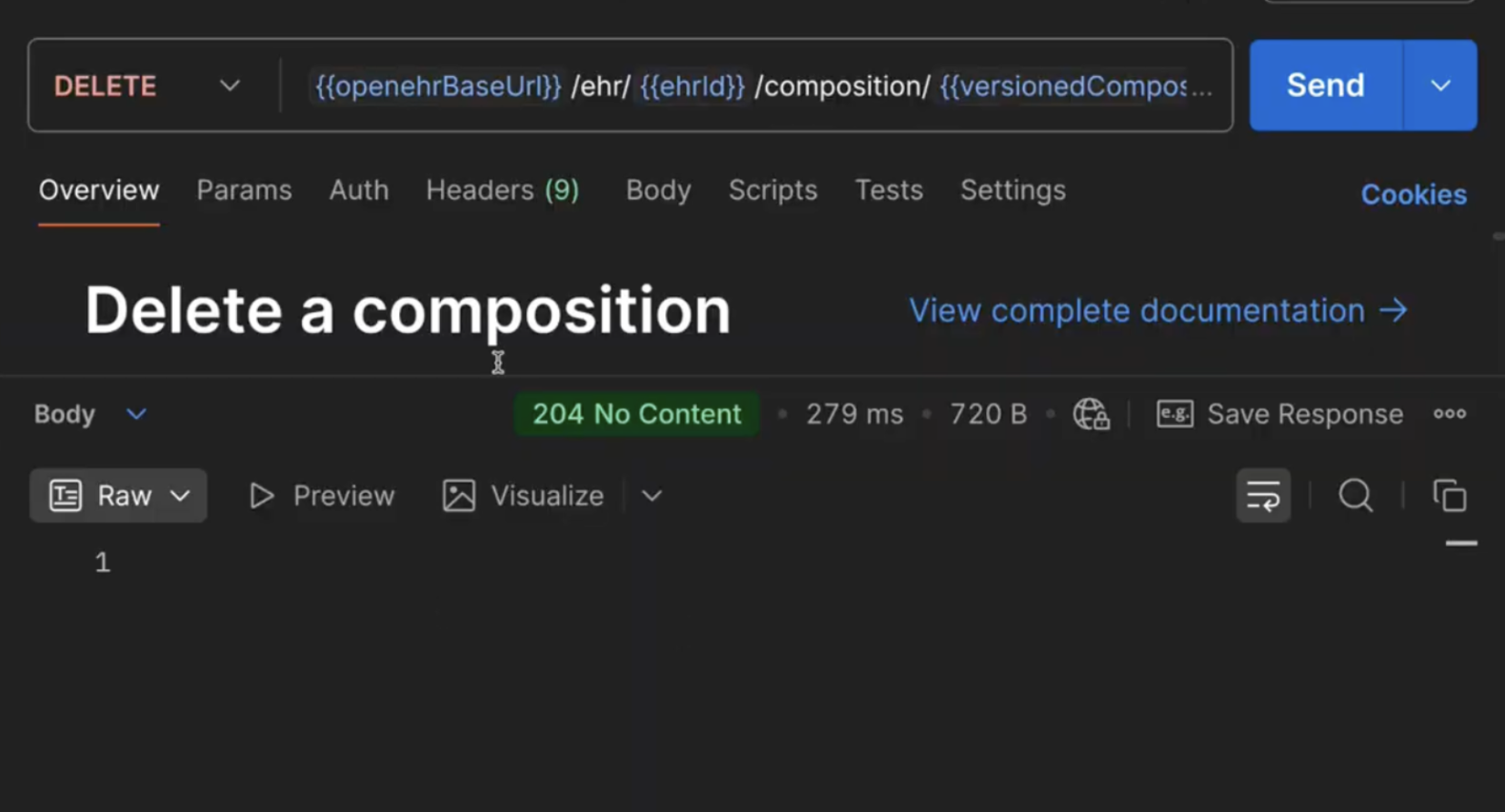
At first glance, this looks like the composition is gone. However, the composition isn’t permanently removed but is marked as deleted.
How openEHR handles deletions
In openEHR, deletion is usually a soft delete, not a hard delete.
A soft delete doesn’t permanently remove data. Instead, the record is marked as deleted (or inactive) and kept in the system so it can be audited, traced, or recovered later.
openEHR follows this approach because healthcare systems must preserve version history, maintain a clear audit trail, and support clinical accountability. In other words, even when something is “deleted,” the system treats it as a versioned event that remains traceable over time.
For example, if you “delete” version 2 of a record, version 2 still exists in the version history, and a new version (e.g., version 3) is created to indicate that the record was deleted.
As a result, openEHR ensures that changes to clinical data remain transparent and traceable.
Lesson summary
In this lesson, we learned how to update and manage compositions in openEHR. We first prepared the composition payload and used the versioned composition ID in the request header to perform an update. We also explored how to retrieve compositions, either the latest version using just the UID, or a specific version using the full Object Version ID.
Finally, we saw how deleting a composition in openEHR is typically a soft delete, which means the previous version remains in history, and a new version is created to mark the composition as deleted.