Provider App Overview: Hyperspace, Hyperdrive and the EHR Launch
In the last module we built a patient app called Care Summary, and took it to production. The patient logged in to MyChart, gave consent, and handed your app their record.
In this module, we’ll build an app for a clinician. Most of the configurations remain the same, the main difference is that this app is built for the clinicians and not the patients, and there is no login flow.
How the Provider Access Pattern Works
A clinician is working on the EHR, in Hyperspace or Hyperdrive, and they already have a patient open. The patient data is in front of them, or they are doing rounds and have the chart up.
Build your first real FHIR app in 15 days
500+ builders have done it. Live kick-off, structured modules, Demo Day. $27.
Join the challengeSo they know exactly which patient they want your app for. What they don’t want is to leave Epic, open your app on the side, and find that patient again.
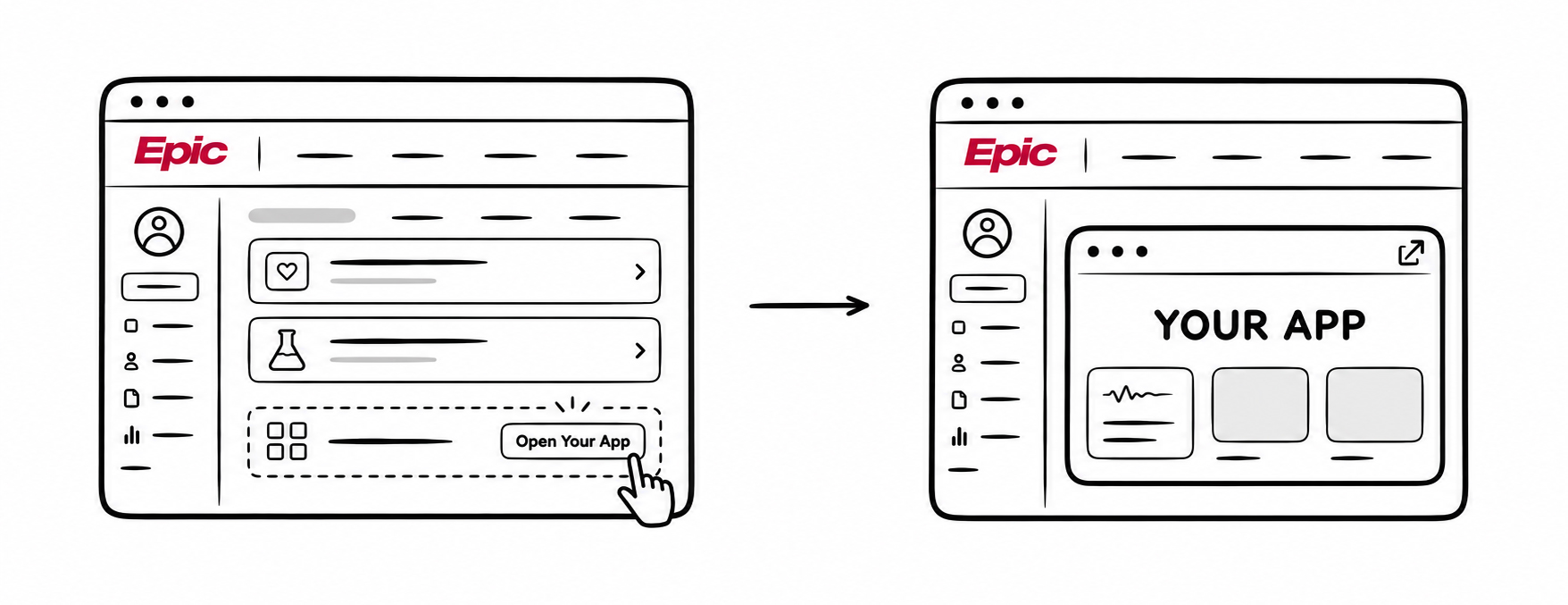
Your app has to launch from inside that patient’s chart. The clinician clicks once, and your app opens already knowing who the patient is.
This is called the EHR launch.
Where the app shows up
When your app launches inside Epic, it can appear in a few different ways. It might open in the sidebar next to the chart. It might open as a separate window. It might be embedded inside Epic’s own screen. We’ll see each of these in the Hyperdrive demo later in the module.
What stays the same across all of them: your app is a step in the clinician’s workflow, and it opens with the patient context already in hand.
There are other ways to trigger an app from inside Epic too, CDS Hooks being the main one, where Epic calls your service at a specific moment in the workflow instead of the clinician clicking a button.
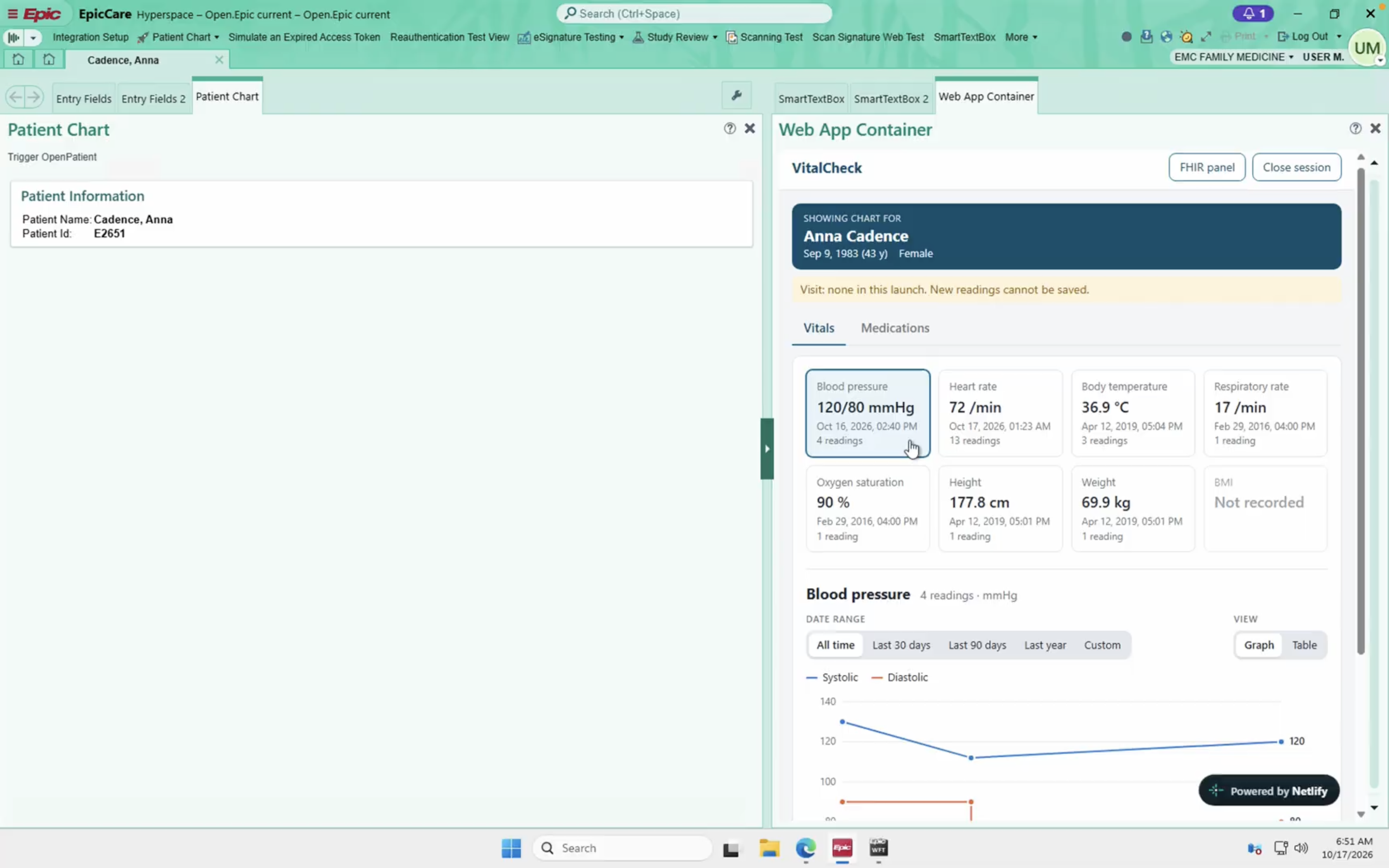
The app we’ll build in this module
Just like Care Summary in Module 2, we’ll follow one app the whole way through. This one is called VitalCheck.
It’s a small provider-facing tool. A clinician opens a patient’s chart, launches VitalCheck from inside Epic, and the app opens with the patient data. It shows their recent vitals, and it lets the clinician add a new reading that gets written straight back into the chart.
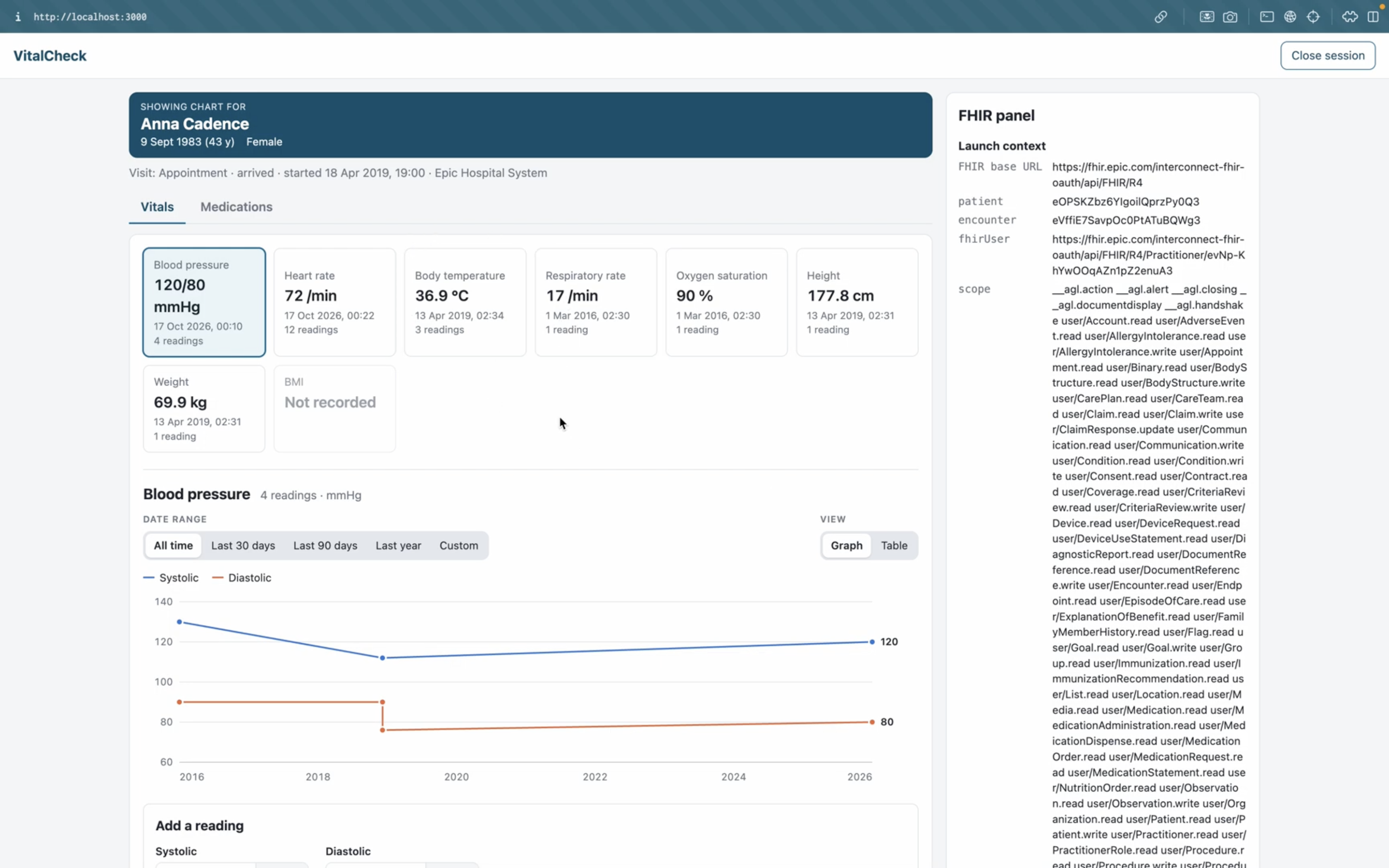
How we’ll build it
Just like the CareSummary app, We’ll use AI coding tools for most of the build, so you don’t need to write code by hand to keep up.
What’s next
In the next lesson we’ll register VitalCheck on fhir.epic.com.