
Export to FHIR server
Push records from Medblocks to a destination FHIR R4 server.
FHIR server export pushes records from Medblocks to a destination FHIR R4 server. Use it when another system should receive FHIR resources directly instead of reading files from object storage.
This is a dashboard-managed export. Create it once for the workspace, then Medblocks runs an initial full export automatically and later delta exports when new pulls finish.
Internal FHIR server
The internal FHIR server is a Medblocks-hosted FHIR R4 destination for production and development workflows. Use it when you want Medblocks to host the FHIR endpoint that receives exported resources for the workspace.
After saving the destination, open its detail page from Settings, then Export. The detail page shows copy fields for the FHIR base URL and bearer token.
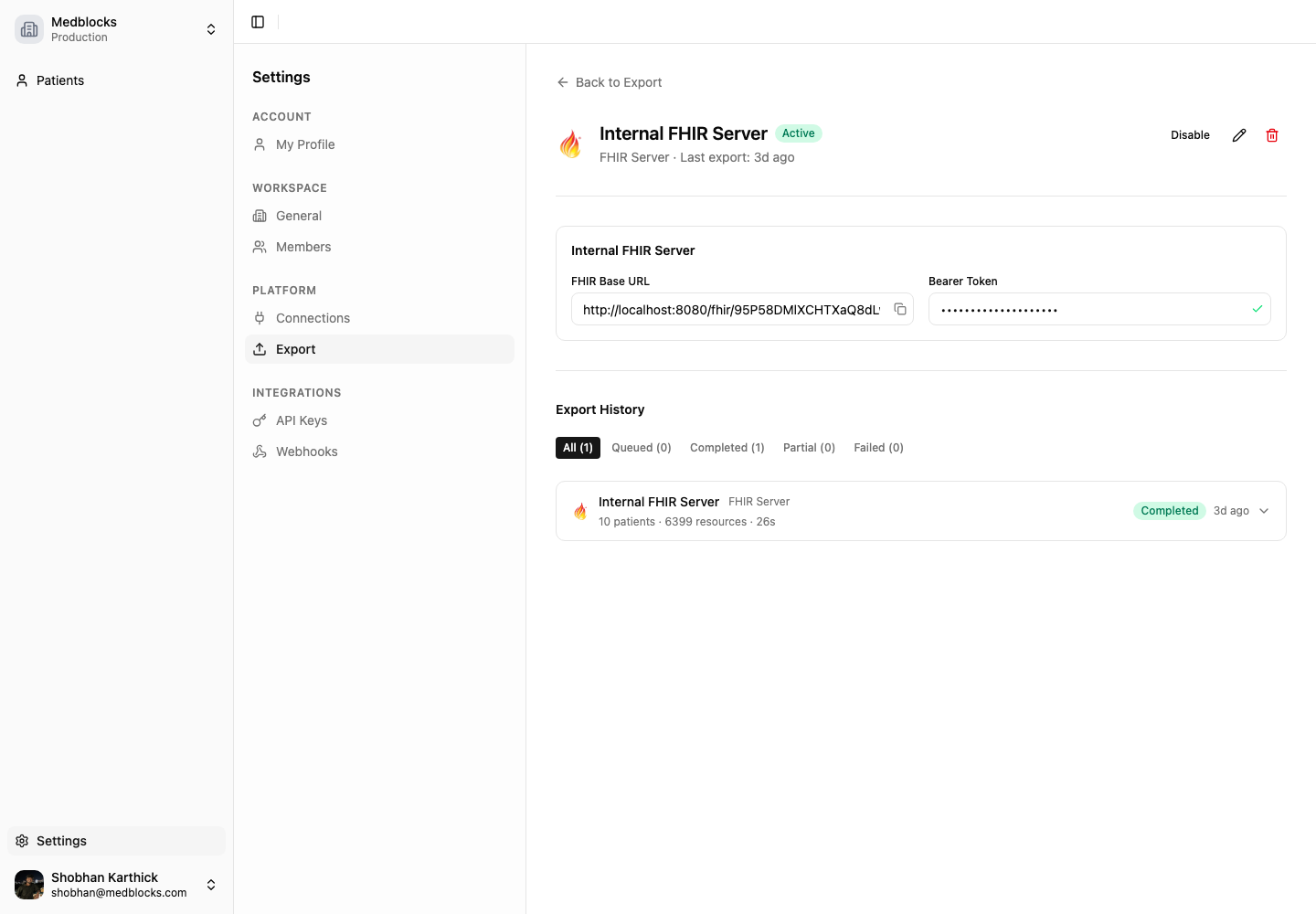
Use the copied values with any FHIR client. Send the bearer token in the Authorization header.
curl \
  -H "Authorization: Bearer {bearer-token}" \
  "{internal-fhir-base-url}/Patient?_count=10"
Use the Patient identifier pattern below to find the record that belongs to your app user.
Custom FHIR server
A custom FHIR server is a destination you host or control. Use it when records should land in your own FHIR store, customer tenant, data platform, or downstream clinical workflow.
Medblocks can authenticate to a custom destination with no auth, bearer token auth, or OAuth 2.0 client credentials. Medblocks validates connectivity before saving. If the test fails, fix the URL, credentials, or network allowlist before creating the destination.
Set up the export
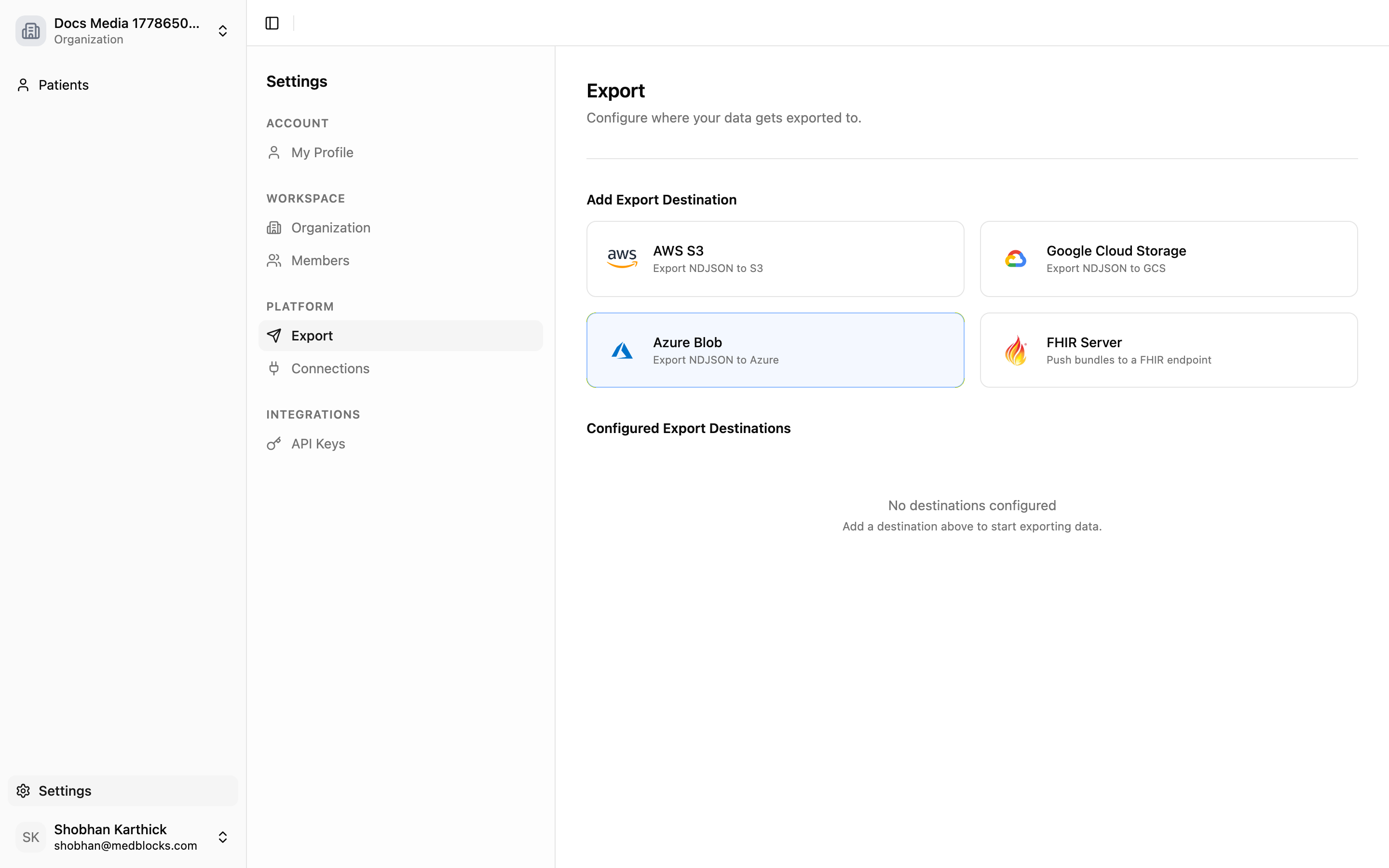
Add a FHIR server destination
Click Add FHIR Server, then choose an internal FHIR server or a custom FHIR server.
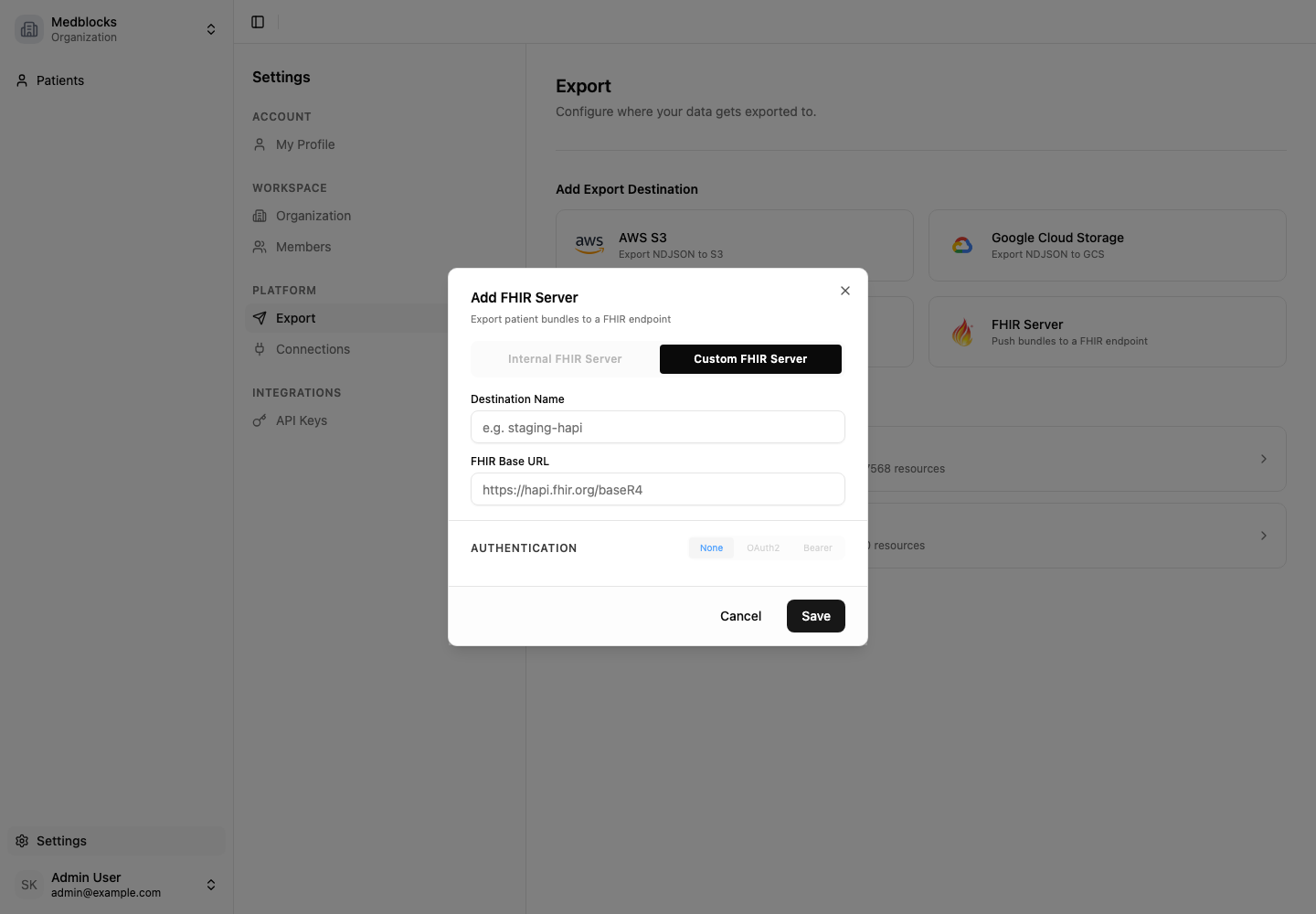
Enter destination settings
Custom FHIR server destinations need these fields.
| Field | Purpose |
|---|---|
| Name | Label shown in the dashboard. |
| FHIR base URL | Destination R4 server base URL. |
| Auth type | No auth, bearer token, or OAuth 2.0 client credentials. |
| Bearer token | Token used when auth type is bearer token. |
| Token endpoint | OAuth 2.0 token URL when client credentials are used. |
| Client ID and secret | OAuth 2.0 client credentials. |
| Scope | Optional OAuth 2.0 scope if your server requires one. |
Internal FHIR server destinations are provisioned by Medblocks, so you do not enter a custom base URL or external credentials.
Review internal server credentials
When you choose Internal FHIR Server, Medblocks provisions a hosted FHIR R4 destination for the workspace. The setup screen shows the FHIR base URL and bearer token before you save.
After saving, the destination appears in Configured Export Destinations.
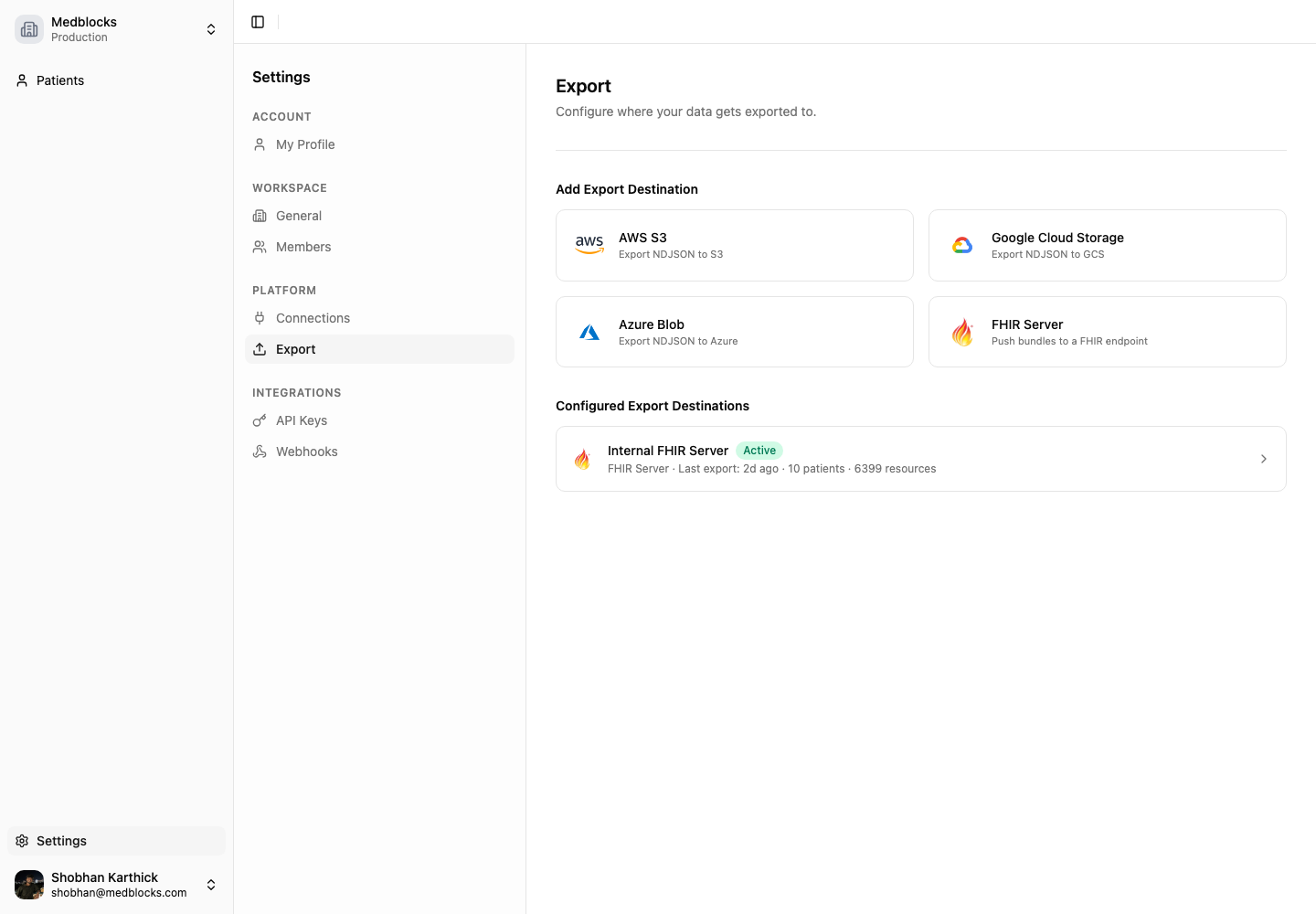
Save and export
Saving starts an initial full export for existing data. After that, new patient data triggers delta exports automatically based on the destination watermark.
Monitor runs
Open the destination detail page for run history, progress, completion times, resource counts, and errors.
The detail page also shows copy fields for the internal FHIR server base URL and bearer token.
Find a patient’s data on your server
Every exported Patient resource carries your patient id in its identifier array, next to the identifiers the source EHR returned such as the MRN. On your server the Patient looks like this.
{
  "resourceType": "Patient",
  "id": "eCB8Nuu2lGe...",
  "identifier": [
    { "system": "urn:oid:1.2.840.114350...", "value": "MRN12345" },
    { "system": "urn:medblocks:patient-id", "value": "patient_123" }
  ]
}
Look the patient up by that identifier, then use standard FHIR reference searches for their clinical data.
# Find the Patient resource by your id
GET {your-fhir-server}/Patient?identifier=urn:medblocks:patient-id|patient_123

# Then query any resource type by patient reference
GET {your-fhir-server}/Observation?patient={patient-resource-id}
GET {your-fhir-server}/Condition?patient={patient-resource-id}

# Pull referenced practitioners along with the results
GET {your-fhir-server}/Observation?patient={patient-resource-id}&_include=Observation:performer
Some EHRs send resource ids that are not FHIR conformant. The FHIR id rules allow only letters, digits, hyphens, and dots, with a length of 1 to 64 characters. Medblocks replaces a non-conformant id with a stable hash so the resource is valid on your server, and rewrites references to match. Everything else is delivered as the source EHR returned it. Clinical resources point back at their Patient through subject and patient references, which FHIR servers index for the queries above.
New and changed resources flow in with each export run. Data delivered before this feature shipped gains the identifier when the Patient resource next changes at the source, and deleting and re-adding the destination forces a full export that carries it immediately.
Delivery notes
- Exports run per destination.
- One destination failing does not affect others.
- Disabled destinations are skipped.
- Reactivating a destination resumes from its last saved position.
- Rotate credentials in the dashboard before revoking the old credential on the destination server.
See also
Need help?
Running into an issue? Get support from our team and we will get back to you.
How is this guide?