
Overview
Add workspace credentials for patient access, clinical workflows, backend sync, and network access.
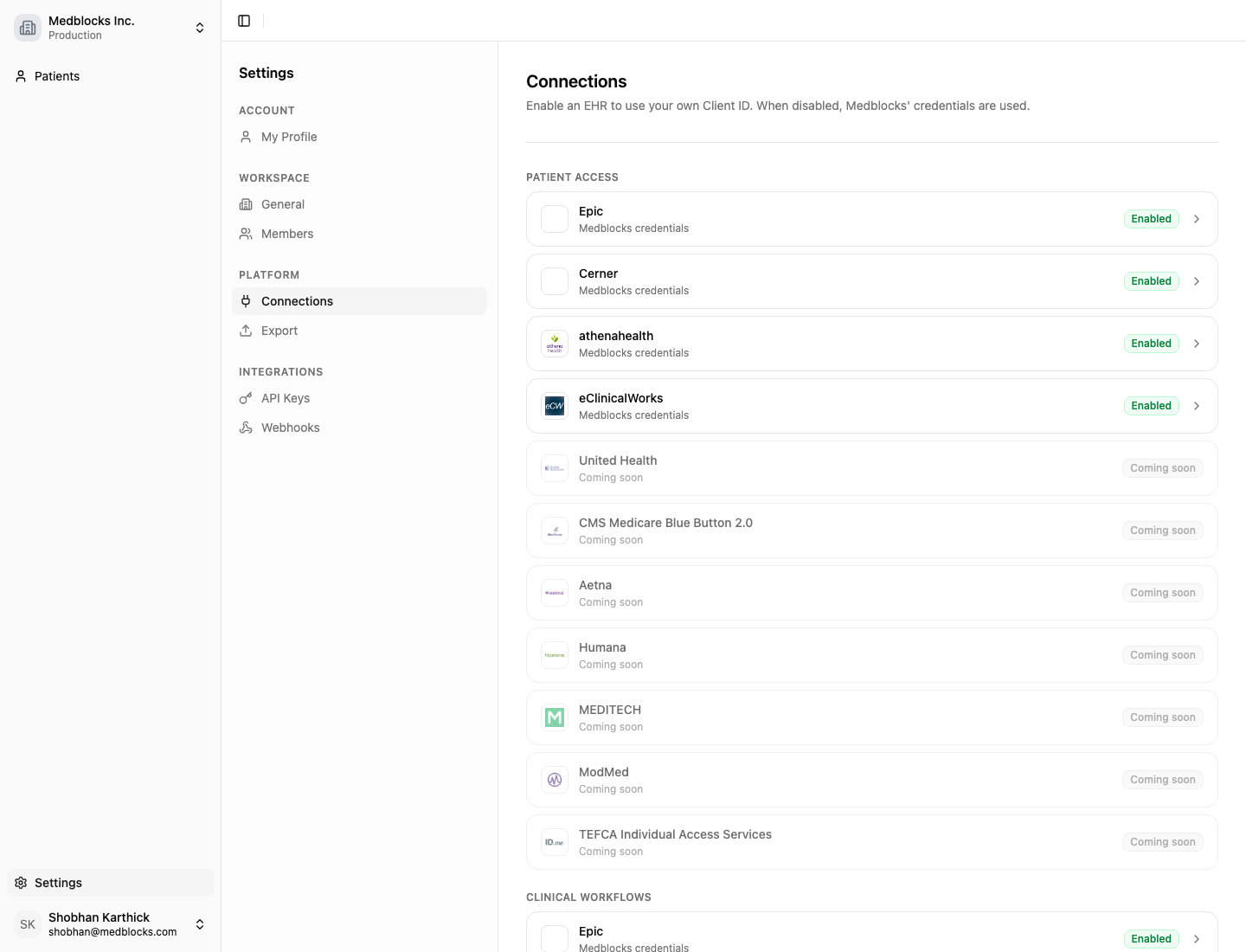
Connections is the dashboard area for setting up the healthcare systems Medblocks can use for your workspace.
They are grouped by integration pattern, so you can start with one surface, such as patient access, and add others later in the same place.
Integration patterns
| Group | What it configures |
|---|---|
| Patient Access | Patient-facing SMART on FHIR and portal connections. |
| Clinical Workflows | SMART app launch and CDS Hooks inside an EHR workflow. |
| Backend | Server-to-server access such as SMART Backend Services and bulk data. |
| Network | Network and exchange access such as CommonWell. |
Each provider tile shows whether your workspace is using Medblocks credentials, custom credentials, or whether that provider is not configurable yet.
Guides
Patient Access
Configure Epic for patient-facing portal authorization.
Clinical Workflows
Configure Epic launch, CDS Hooks, and clinical workflow credentials.
Backend
Configure Epic backend access, organizations, and FHIR Group IDs.
Network
Plan network and exchange access for cross-organization records.
Credentials
You can start with Medblocks-supplied credentials. Every configurable provider works out of the box with credentials Medblocks owns, so you can run a patient session or an EHR launch without registering your own app first. This is the fastest way to see a flow end to end.
When you are ready, switch a connection to your own credentials. They then belong to your app or organization, and Medblocks stores and uses them server-side to operate the connection, while the relationship, branding, and compliance path stay yours.
Bring your own credentials when you need your own app identity on the patient consent screen, your own branding, or a compliance path your organization owns. The setup differs per provider, so each guide above covers what to copy where.
Not sure if this fits you?
Tell us what you're building and we'll show you exactly what you can integrate.
See also
How is this guide?