
Backend
Configure Epic backend access, organizations, and FHIR Group IDs.
Backend connections are used when a provider organization authorizes server-to-server access. There is no patient portal redirect and no clinician launch in the browser. Medblocks uses the configured backend credentials to pull or sync data in the background.
Open Connections in the dashboard, then choose Epic under Backend.
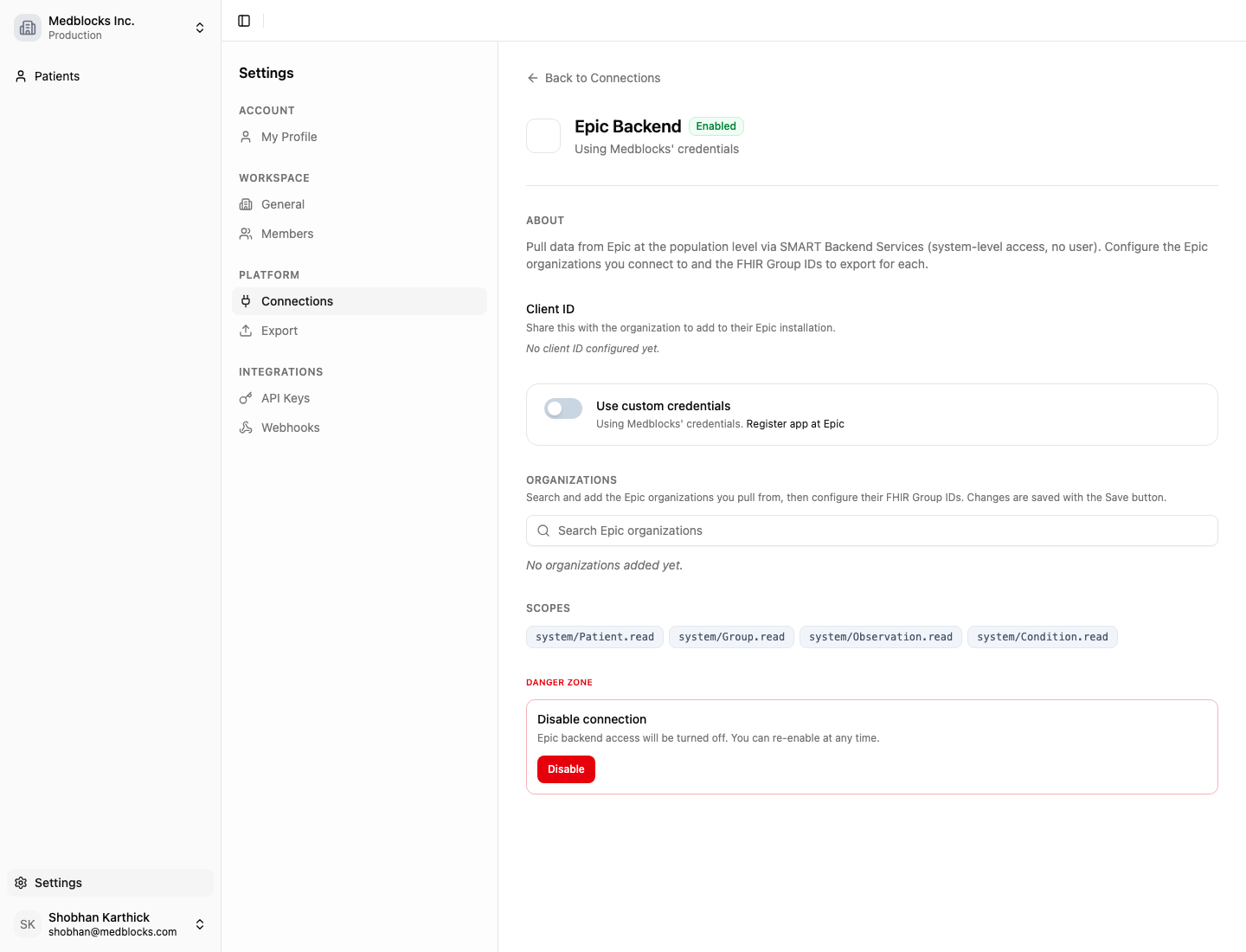
What the page shows
The credential section shows the backend services Client ID and JWKS URI used for Epic. When you bring your own Epic backend app, copy the JWKS URI from Medblocks into the EHR developer setup, then save the Epic Client ID back in Medblocks.
Organizations are the Epic sites this workspace can pull from. Add only the organizations approved for this workspace and environment.
FHIR Group IDs define the Epic groups used for population-level retrieval. They are often different between Sandbox and Production, so keep them scoped to the right workspace.
The credential mode tells you whether the connection runs with Medblocks-managed credentials or credentials owned by your organization.
Configure Epic backend access
- Register or open the Epic backend app.
- Copy the JWKS URI from Medblocks into the Epic app configuration.
- Copy the Epic backend Client ID back into Medblocks if you are using your own credentials.
- Search for and add the Epic organizations you pull from.
- Add the FHIR Group IDs for each organization.
- Save the connection.
Backend configuration feeds population-level retrieval and downstream exports. Keep Sandbox and Production workspaces separate so test Group IDs and production Group IDs do not mix.
Not sure if this fits you?
Tell us what you're building and we'll show you exactly what you can integrate.
Next steps
With backend access configured, pull and sync records server to server. The Backend section walks through SMART Backend Services and bulk data end to end.
See also
How is this guide?