
Auth event history
Read the audit trail of authorization attempts to see where a connection failed.
When a patient reports that connecting did not work, auth event history is the dashboard trail for the authorization attempt. It shows the steps around portal redirect, consent, OAuth callback, token exchange, and later token refresh.
When to use it
Reach for auth event history when you need to answer questions like these.
- Did the patient reach the portal?
- Did they sign in?
- Did they approve access?
- Did the token exchange succeed?
- Did a later refresh fail?
Use Pull monitoring when authorization worked but records are not available yet. Use auth event history when the question is whether access was granted in the first place.
Open the patient
In the dashboard, go to Patients, select the patient, and look at the connection and login history.
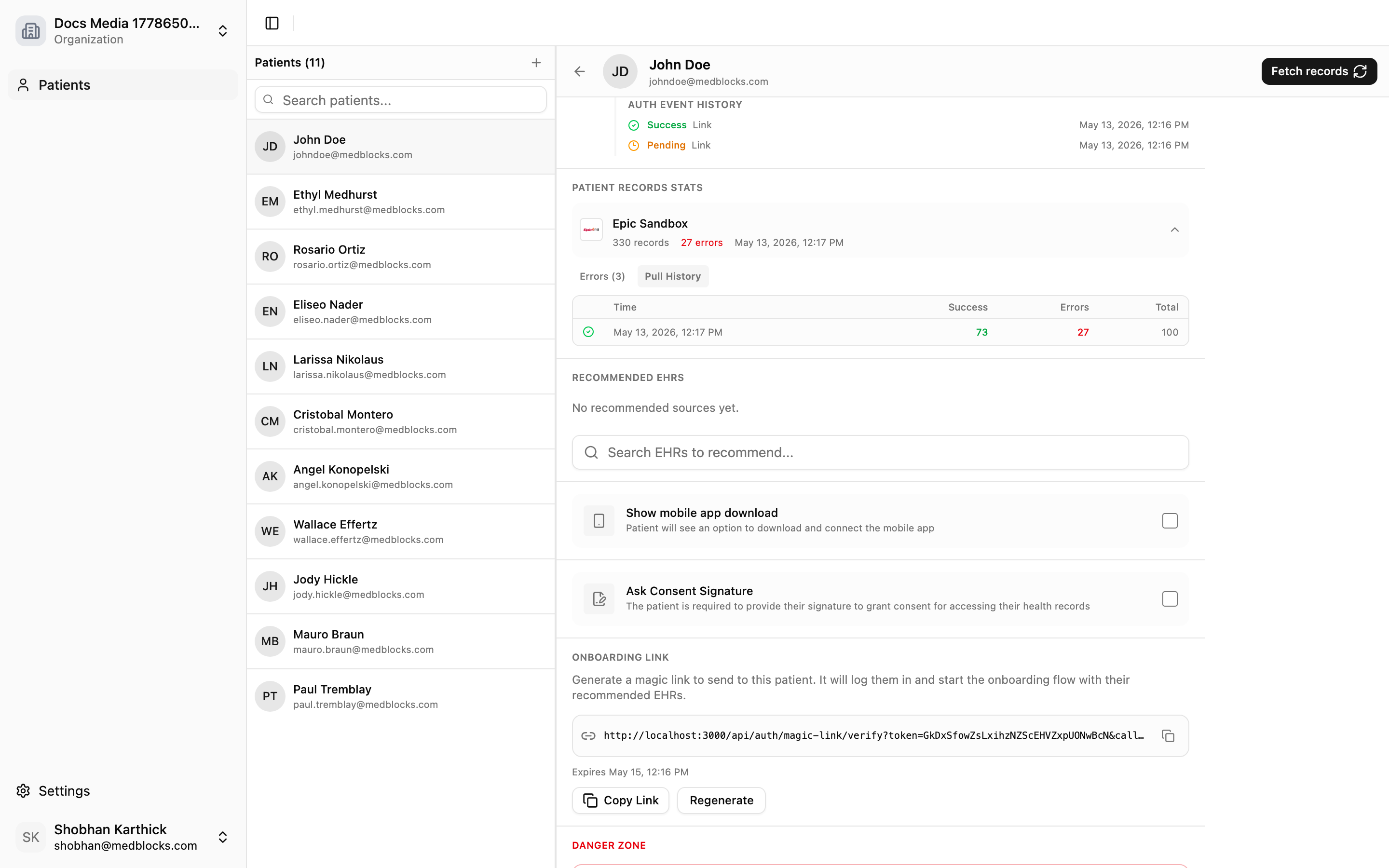
What to look for
| Field | What it tells you |
|---|---|
| Source name | Which EHR or payer the attempt was against |
| Event status | Whether the attempt succeeded or which failure state it hit |
| Error code | A stable code you can quote to support |
| Error description | The human-readable detail |
| Timestamp | When the attempt happened |
Quote the stable error code and timestamp when you contact support. The human-readable description is useful for operators, but the code is what makes the event searchable.
Common outcomes
| Scenario | Interpretation |
|---|---|
| Success with an active connection | The patient authorized and Medblocks stored usable access |
| The patient denied consent at the portal | The patient reached the portal but declined to approve access |
| The portal returned an OAuth error | The source rejected the request during authorization |
| A later refresh-token failure | A previously active connection lost its access and needs reconnecting |
How this differs from pull history
Auth event history answers “what happened during authorization?” Pull history answers “what happened while retrieving records after authorization?”
| Dashboard view | Best for |
|---|---|
| Auth event history | Sign-in, consent, OAuth, token exchange, refresh-token issues. |
| Pull history | FHIR retrieval, pagination, resource errors, record availability. |
What your app should log
Log these fields so your application logs line up with what the dashboard shows.
session_idconnection_idsuccesserrorerror_description- the Medblocks
request_idfor any failed API call
See also
Need help?
Running into an issue? Get support from our team and we will get back to you.
How is this guide?