Load test patient data
Seed a sandbox workspace with test patients, either from the built-in Synthea cohort or from FHIR bundles you generate yourself.
Sandbox workspaces let you build against real FHIR shapes without touching production data. This page covers how to load patients into a sandbox via the Import FHIR data dialog on the Patients page. For the workspace setup, see Sandboxes.
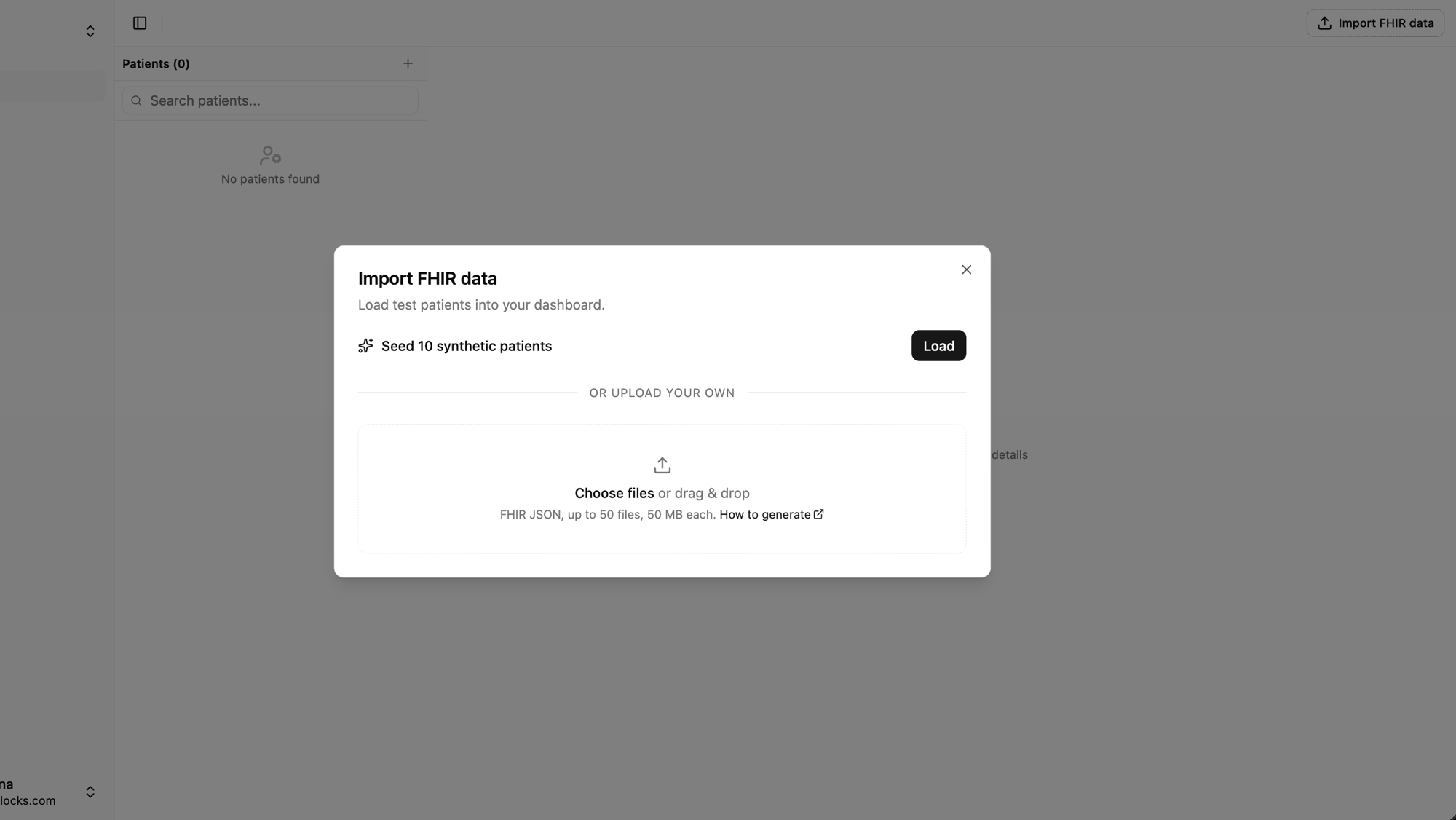
The Import FHIR data dialog
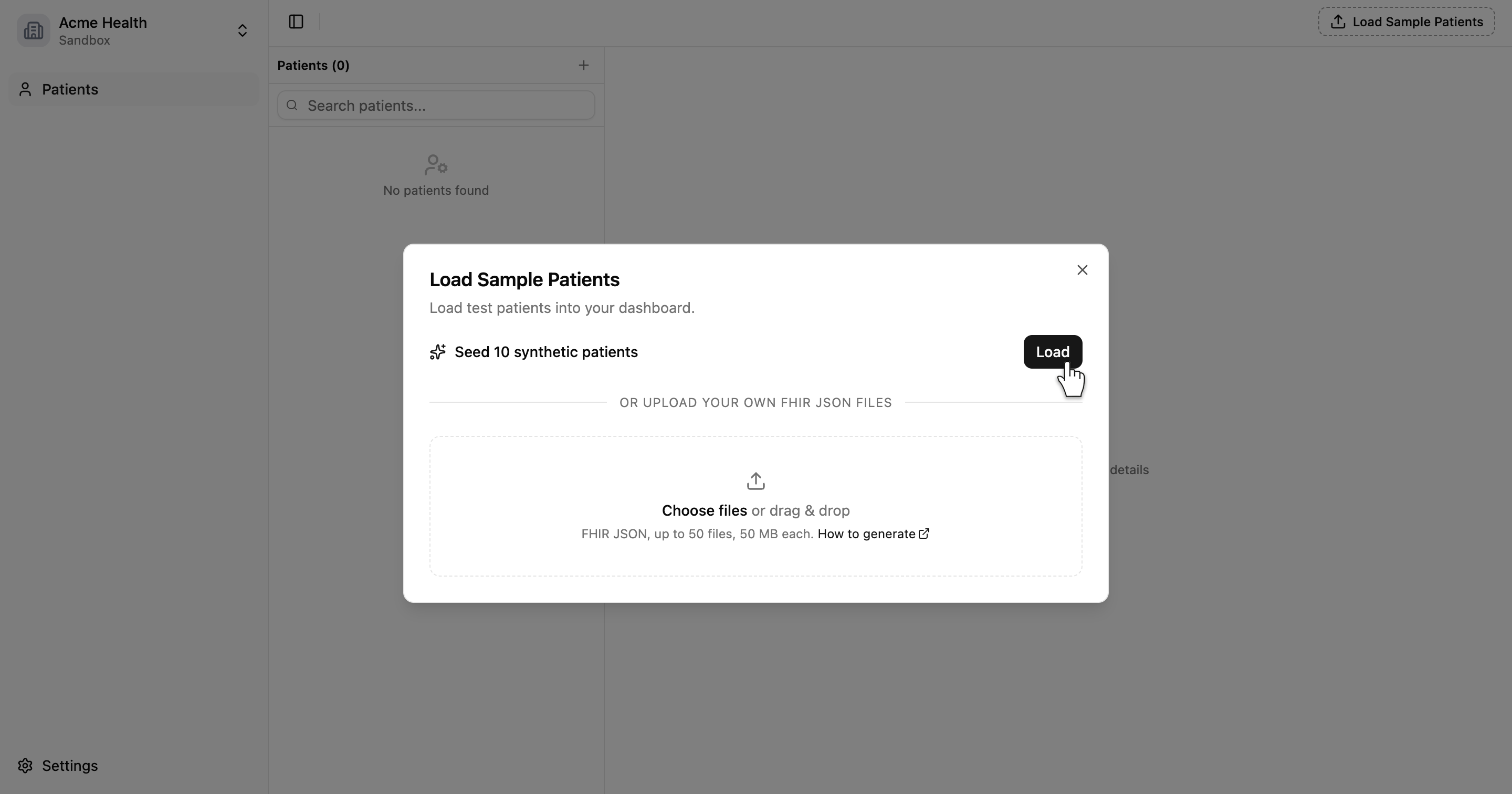
From the Patients page in a sandbox workspace, click Import FHIR data in the top-right of the header. The dialog gives you two paths.
Seed 10 synthetic patients. A one-click button that loads a pre-generated Synthea cohort with full clinical history (Conditions, Observations, MedicationRequests, Encounters). The row is only shown when the workspace has zero synthetic patients. Use it to see what a populated dashboard looks like without setting anything up.
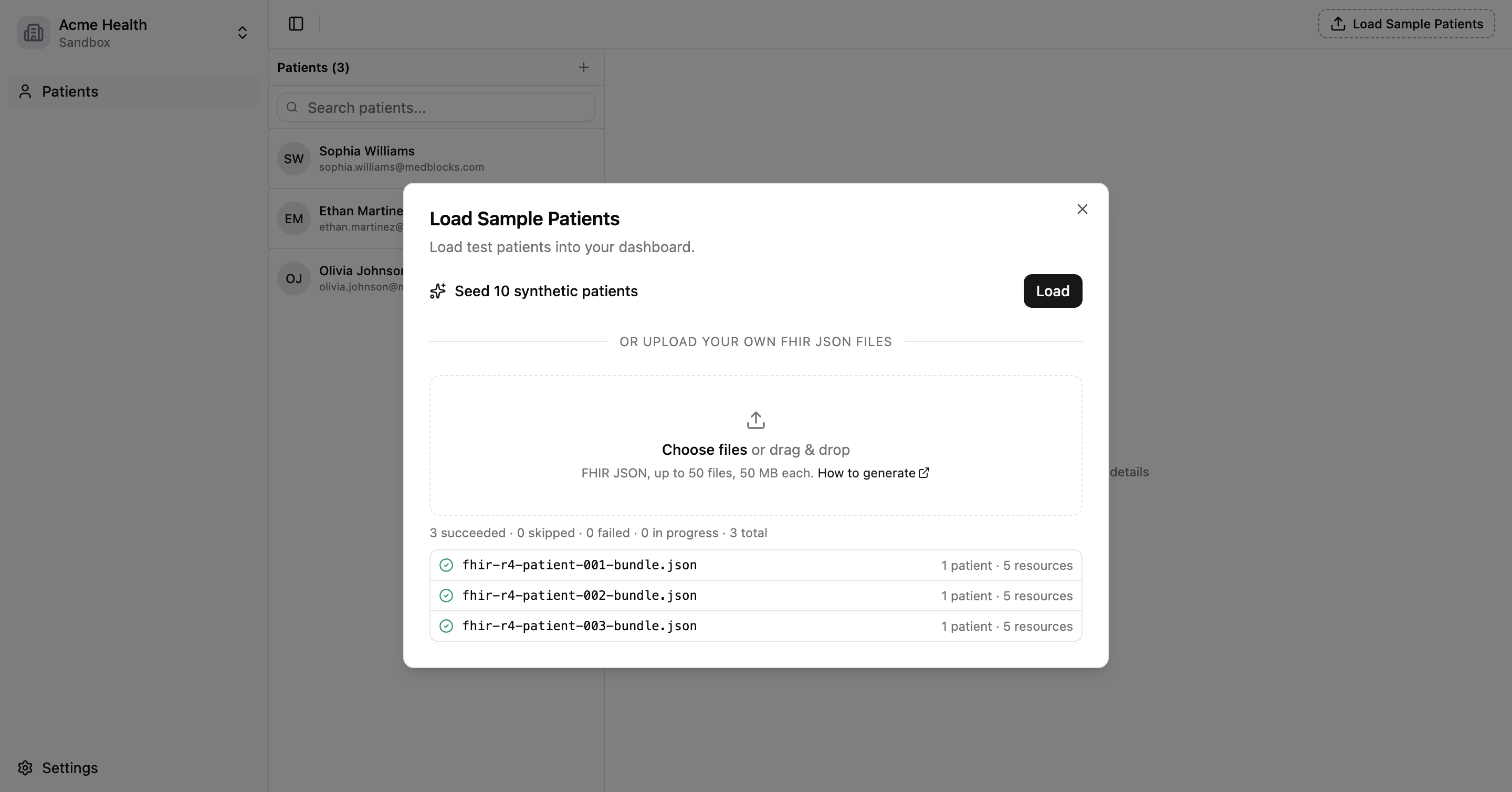
Upload your own FHIR JSON. Drag-and-drop up to 50 files at 50 MB each. Each file must be a FHIR R4 Bundle (or a JSON array of Bundles), and each Bundle must contain at least one Patient resource. Use this when you need specific ages, targeted conditions, or a resource mix the built-in cohort doesn’t cover.
Both paths land in the same Patients list.
Where to get uploadable FHIR JSON
Synthea
Synthea is the open-source synthetic-patient generator from MITRE. It produces FHIR R4 Bundles with realistic demographics and clinical history.
Clone and run it.
git clone https://github.com/synthetichealth/synthea.git
cd synthea
./run_synthea -p 5 --exporter.fhir.export true --exporter.fhir.version R4The -p 5 flag generates 5 patients. Output lands in output/fhir/. Each .json file is one Bundle for one patient, wrapping their entire clinical history. Pick the files you want and drop them into the dialog.
An LLM
If you want a smaller, targeted patient (a diabetic patient with 6 months of recent observations and nothing else, for example), skip Synthea and ask an LLM to generate the Bundle directly. Describe the patient you want in the prompt rather than pasting a large Synthea bundle for the model to trim.
Generate a FHIR R4 transaction Bundle for one Patient with these properties.
Demographics: 47-year-old female, US address.
Conditions: Type 2 diabetes, onset 2019.
Observations: HbA1c (7.4%) and blood pressure (138/89) in the last three months.
Medications: Metformin 500 mg twice daily.
Use urn:uuid: fullUrls with cross-references. Return only the JSON, no commentary.This is faster than pasting a huge bundle back into the model and it costs a fraction of the tokens. Validate the output by importing it and checking that the dashboard renders each resource.
Multi-patient upload
Ship multiple Patients in a single Bundle by adding one Patient entry per patient plus their clinical resources. The importer walks each Patient’s subject-linked resources into that Patient’s account, and any Bundle entry with no patient reference (Practitioner, Organization, Location, etc.) is treated as shared metadata and attached to every Patient.
{
"resourceType": "Bundle",
"type": "transaction",
"entry": [
{ "resource": { "resourceType": "Patient", "id": "pat-1", ... } },
{ "resource": { "resourceType": "Observation", "id": "obs-1",
"subject": { "reference": "Patient/pat-1" }, ... } },
{ "resource": { "resourceType": "Patient", "id": "pat-2", ... } },
{ "resource": { "resourceType": "Condition", "id": "cond-1",
"subject": { "reference": "Patient/pat-2" }, ... } },
{ "resource": { "resourceType": "Practitioner", "id": "prac-1", ... } }
]
}A top-level JSON array of Bundles is not valid FHIR and is rejected. Batch on the client instead by dropping multiple files into the dialog at once.
Re-uploads are safe
If a Patient you upload already exists in this workspace (same FHIR Patient.id), the importer skips that Bundle and marks the row Already imported. Drop the same folder twice with no cleanup required.
What the importer checks
- The payload is valid JSON.
- The top level is a Bundle (a JSON array is rejected).
- The Bundle has at least one
Patientresource. - Every entry has a
resource.idthat matches the FHIR id pattern ([A-Za-z0-9\-\.]{1,64}). - If
fullUrlusesurn:uuid:, the trailing part is a real UUID (urn:uuid:xxxwon’t fly). - Every
reference: "urn:uuid:..."resolves to afullUrldeclared on some entry in the same Bundle.
The last two rules are what a spec-conformant FHIR server would enforce. The importer no longer accepts made-up UUIDs or dangling cross-references.
Not checked (out of scope): per-resource cardinality, value sets, US Core conformance. Use HAPI’s validator or Firely Terminal if you need that level of rigor.
Limits
- 50 MB per file
- Up to 50 files per batch
Common errors
Invalid JSON: could not parse the uploaded file.Re-save from your editor with UTF-8 encoding.Payload: expected a single FHIR Bundle, got a JSON array.Wrap multiple Patients as entries of one Bundle instead of shipping a[Bundle, Bundle]array.Payload: expected resourceType="Bundle", got "X".The top-level object isn’t a Bundle. If you have a single Patient resource, wrap it in a Bundle first.Payload: Bundle is missing the "entry" array.Add anentryarray to the Bundle with at least one Patient entry.Payload: no Patient resource in the Bundle.Add at least one entry whoseresource.resourceTypeisPatient.Bundle.entry[N]: <Type> has no resource.id (...).Every entry needs aresource.id. FHIR allows[A-Za-z0-9\-\.]{1,64}.Bundle.entry[N]: <Type>.id "..." is not a valid FHIR id (...).The id has characters outside the allowed set.Bundle.entry[N]: fullUrl "urn:uuid:..." is not a valid urn:uuid ...The part afterurn:uuid:must be a real UUID (8-4-4-4-12 hex, e.g.550e8400-e29b-41d4-a716-446655440000).Bundle.entry[N].resource...reference "urn:uuid:..." does not resolve to any fullUrl in the Bundle ...A cross-reference points at aurn:uuid:that no entry declares as itsfullUrl. Either add the missing entry or fix the reference.