
Pull monitoring
Watch background pulls run and understand their failure states.
After a patient authorizes a source, Medblocks retrieves their records server-side. A completed browser flow means access was granted or rejected; it does not mean every record is already available. This page is about watching the background pull that turns access into records.
What starts a pull
A pull begins in one of three ways.
- A patient completes a patient session and a connection becomes
active. - An admin manually starts retrieval for a patient.
- A scheduled or retry path picks up pending work.
The first pull can take time. EHRs differ in how they paginate, which resource types they support, the rate limits they enforce, and how fast they respond.
Your patient-facing UI can move on after authorization. Your backend, dashboard, exports, and webhooks should handle data availability separately.
What Medblocks pulls
Medblocks schedules FHIR queries for the supported resource types on that source, fetches the resources, follows references where needed, stores the FHIR, and records status as it goes.
The access token is refreshed before it expires whenever possible. If the refresh token is revoked or expires, the connection becomes refresh_failed.
Watching it in the dashboard
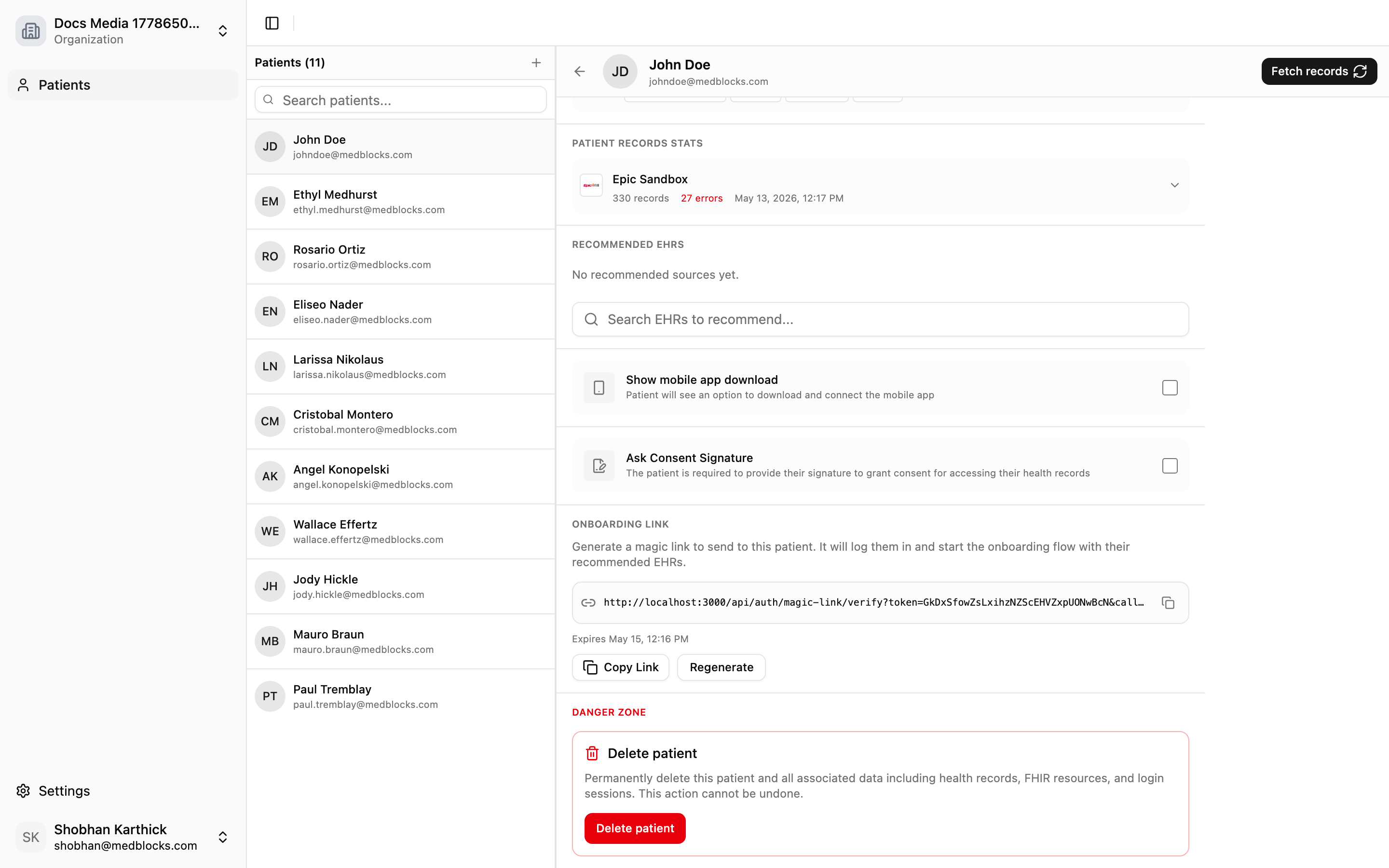
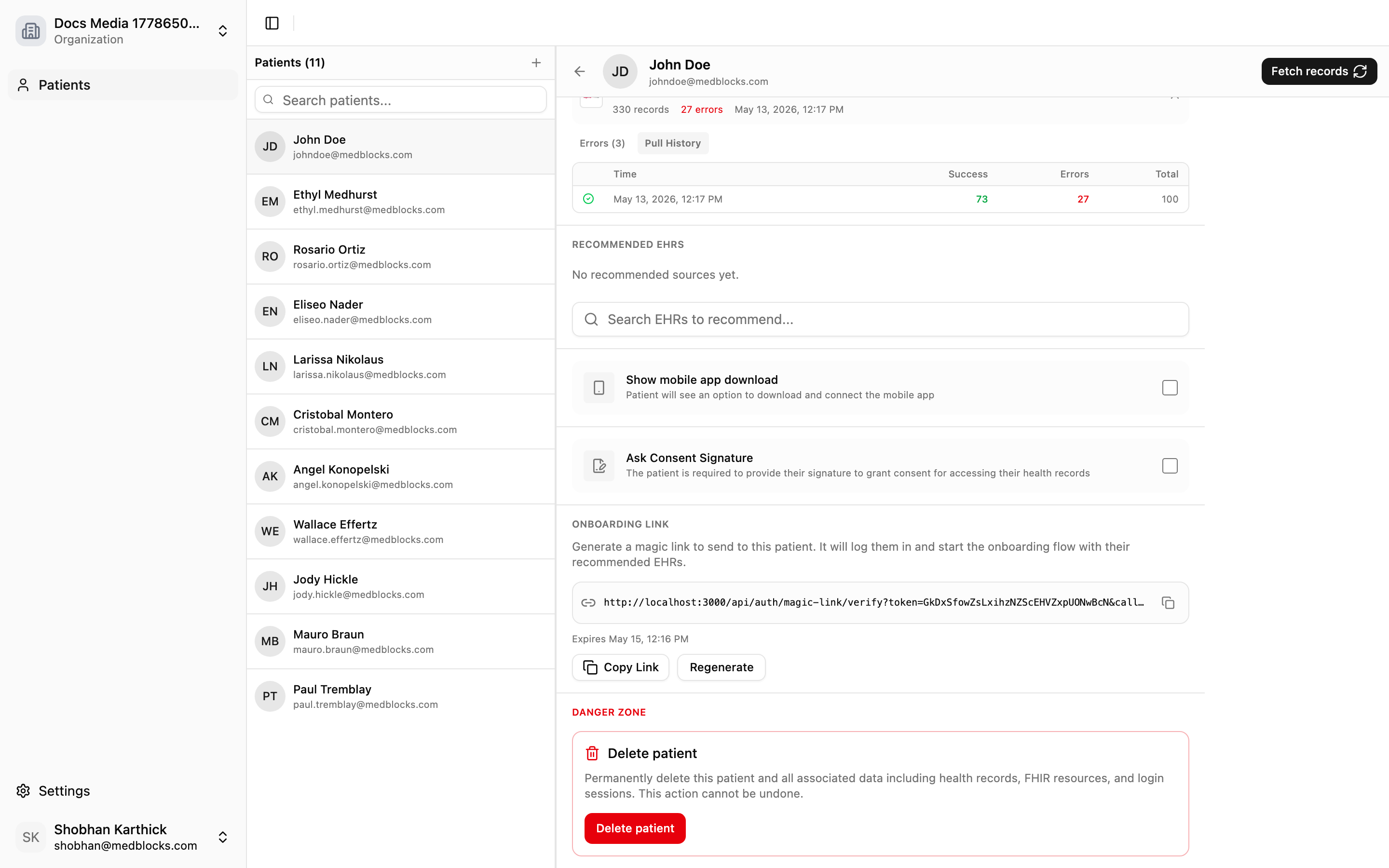
Open the patient detail page to see record status, the latest pull time, per-account status, and pull history.
Use pull history to see past attempts or to understand why a pull failed.
Failure handling
| Failure | What it means | What to do |
|---|---|---|
| Portal auth failed | The patient did not grant usable access | Ask the patient to retry |
| Retrieval error | The portal returned an error during FHIR calls | Review the patient’s pull history |
| Token refresh failed | The stored refresh token is no longer usable | Ask the patient to reconnect |
| Export failed | Data arrived but delivery to a destination failed | Retry from the export destination page |
When to use webhooks
Use dashboard monitoring when a human needs to investigate a patient or destination. Use Webhooks when your backend should react automatically.
| Event | Use it for |
|---|---|
records.sync.completed | Start downstream processing after a pull finishes. |
records.sync.failed | Alert operations or show a support task. |
connection.token_refresh_failed | Ask the patient to reconnect. |
How it relates to export
Background pull brings data into Medblocks. Export sends it out. When a pull completes, enabled export destinations can receive the new data. A patient connection can succeed even if an export destination later fails.
See also
Need help?
Running into an issue? Get support from our team and we will get back to you.
How is this guide?